
Best CompanyCam Alternative
A trusted CompanyCam alternative, Timemark auto adds timestamp and location to photos, organizes them by project and team member, and makes sharing easy.


Trusted by 3.7M field pros and teams from


.webp&w=3840&q=75)








Why Timemark Is the Best Alternative to CompanyCam

Trusted photo proof
Automatic, verified, and tamper-proof time and GPS location ensure every fiber construction photo clearly shows when and where the work was completed.

No More Overpaying
Other photo tools require a minimum number of users. Timemark offers simple, seat-based pricing so you can scale your team without breaking the budget.

No Lost Photos
Timemark automatically collects photos from field crew and securely stores them in a cloud workspace. Even photos taken offline will upload automatically once back online.

Better Project Delivery
Deliver organized project photos to clients instantly in Excel, PDF, KMZ, or guest links without waiting for hours to get download links by email.
Connect Site with Office in 3 Steps
No training required. Start saving time today.

/01

Create a teamspace
Create your teamspace and first project. No credit card required to start a free trial.
/02
Invite team members
Bring your team onboard with a quick invite by email, link, or SMS.
/03
Snap on site
Take photos on site and they upload automatically to your teamspace. Your office team can view everything instantly on the web portal.
Key Features That Make Timemark a Top CompanyCam Alternative
.webp&w=3840&q=75)
Verified and Trustworthy Job Photos
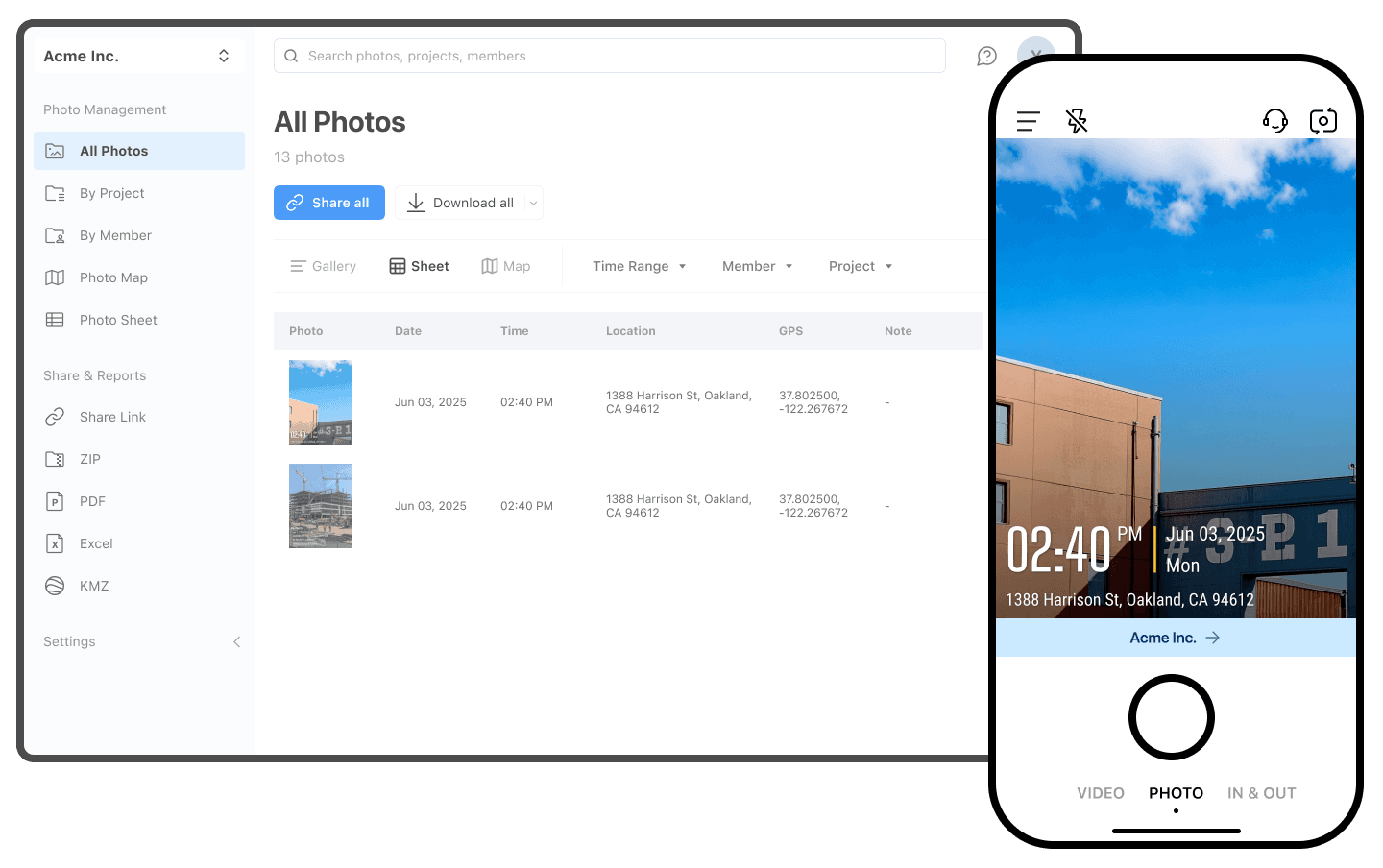
Automatic Photo Information: Each photo is stamped with time, location, notes, logo, etc. for accuracy.
Verified & Secure: Time and gps location are temperproof, keeping all images reliable and legally defensible.
Reliable Offline Capture: Photos are safely captured offline and automatically uploaded and organized once online.
.png&w=3840&q=75)
Auto-Organization
Automatic Photo Organization: Timemark automatically sorts photos by project and team member, removing manual work.
Multiple Viewing Options: View photos in gallery, sheet, or map view for flexible browsing.
Quick Photo Search: Find photos instantly with intuitive search and filters.
.png&w=3840&q=75)
Team Collaboration
Simplified Photo Sharing: As one of the best CompanyCam alternatives, Timemark lets you download and share photos immediately without waiting for email links.
Fast Team Collaboration: Share photos quickly with your team, ensuring everyone has access to the latest updates.
Add Notes and Updates: Leave notes directly on photos to communicate context and keep everyone informed without chaos.
Why Users Switch to Timemark
For Field Service Teams
On-site work needs verified photo management. Many teams switching from CompanyCam rely on Timemark to automatically gather and share immutable field photos, enabling faster and more reliable client delivery.

For Construction Teams
Quality control and daily reports need clear, verified photos. Unlike CompanyCam, Timemark automatically adds time and location, sorts photos by project and team member, and keeps everything organized. Save hours, reduce errors, and lower legal risks.

For Telecom Contractors
Network installation, maintenance, and troubleshooting require reliable photos. Teams switching from CompanyCam choose Timemark because it works offline, automatically syncs when online, and ensures no key site photos are ever missed, keeping projects on track and reducing risk.

Timemark vs CompanyCam: Frequently Asked Questions
.png&w=3840&q=75)
Try Timemark Free: The Smarter Alternative to CompanyCam
Enjoy easy photo management, offline access, and verified, immutable photos with Timemark. Sign up now and discover a smarter alternative to CompanyCam without paying for unused features!