
Best GPS Photo Location App for Contractors
Find and verify GPS photo location in seconds. TimeMarkerGps helps contractors and field teams capture, view, and organize geotagged photos, so you never have to ask "where is this" again.
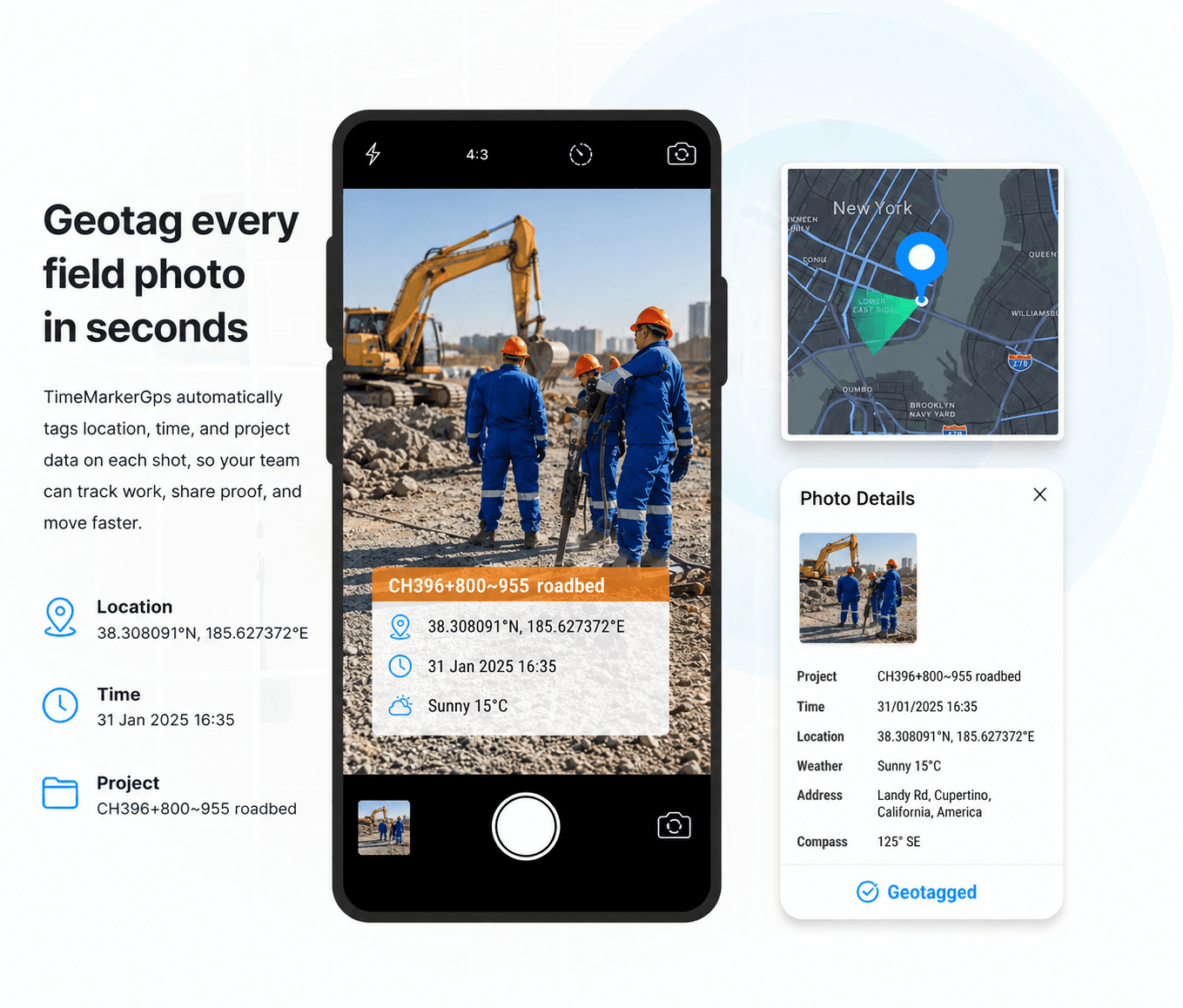
Designed for Location-Aware Photo Records
Built to help field teams capture, organize, review, and share project photo records from one workspace.



When Photos Lack GPS Location, Work Stalls
Review device location permissions and signal conditions, then keep the recorded coordinate together with the project context.
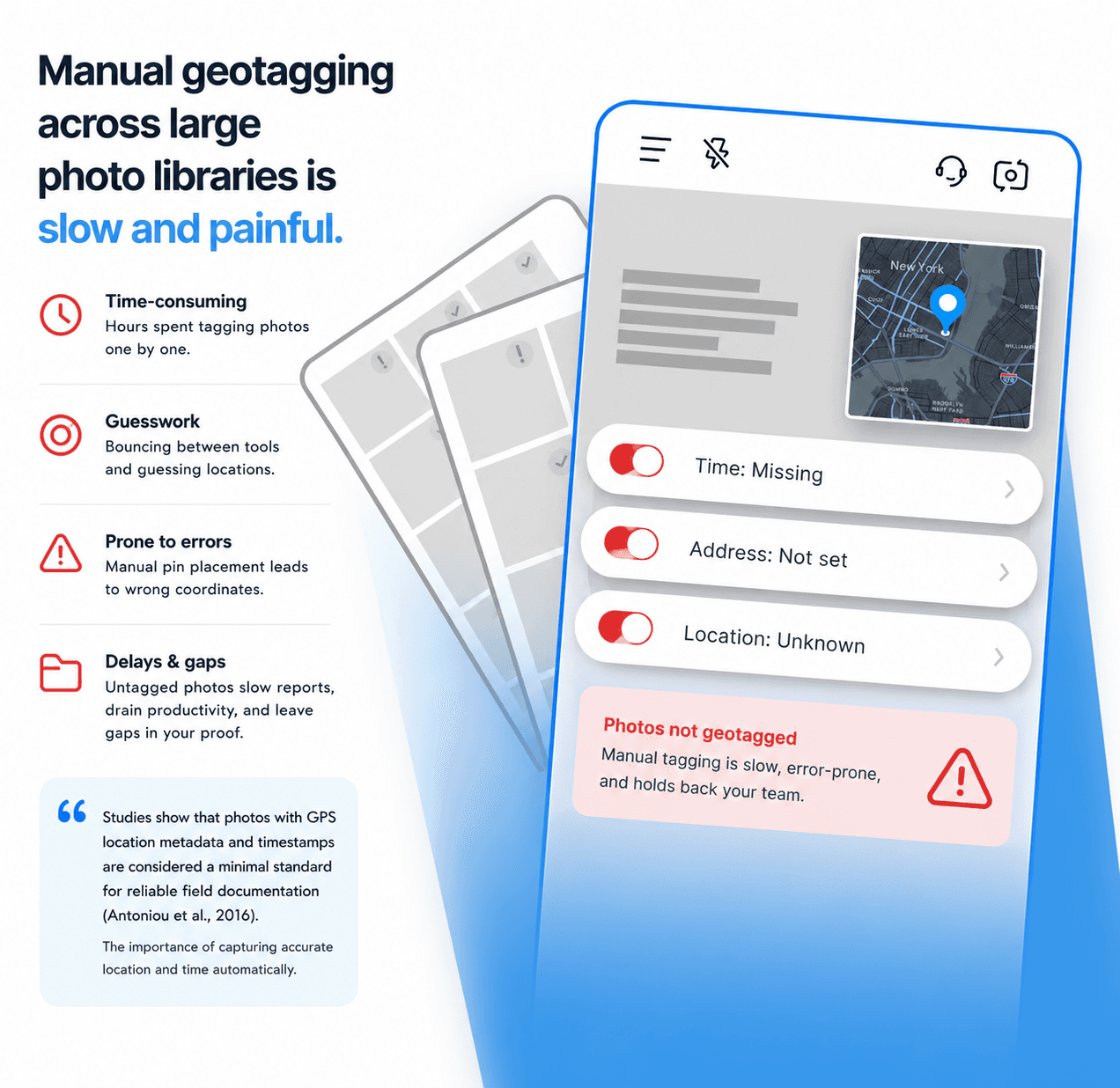
Designed for Location-Aware Photo Records

Add Available Location Context to Field Photos
Supported TimeMarkerGps records can include device-supplied time and GPS location fields, reducing the need to copy those details into separate notes.
- Review the stored time and location fields alongside the photo
- Add available context such as latitude, longitude, weather, elevation, and compass direction
- Use a supported photo code to retrieve the associated stored record
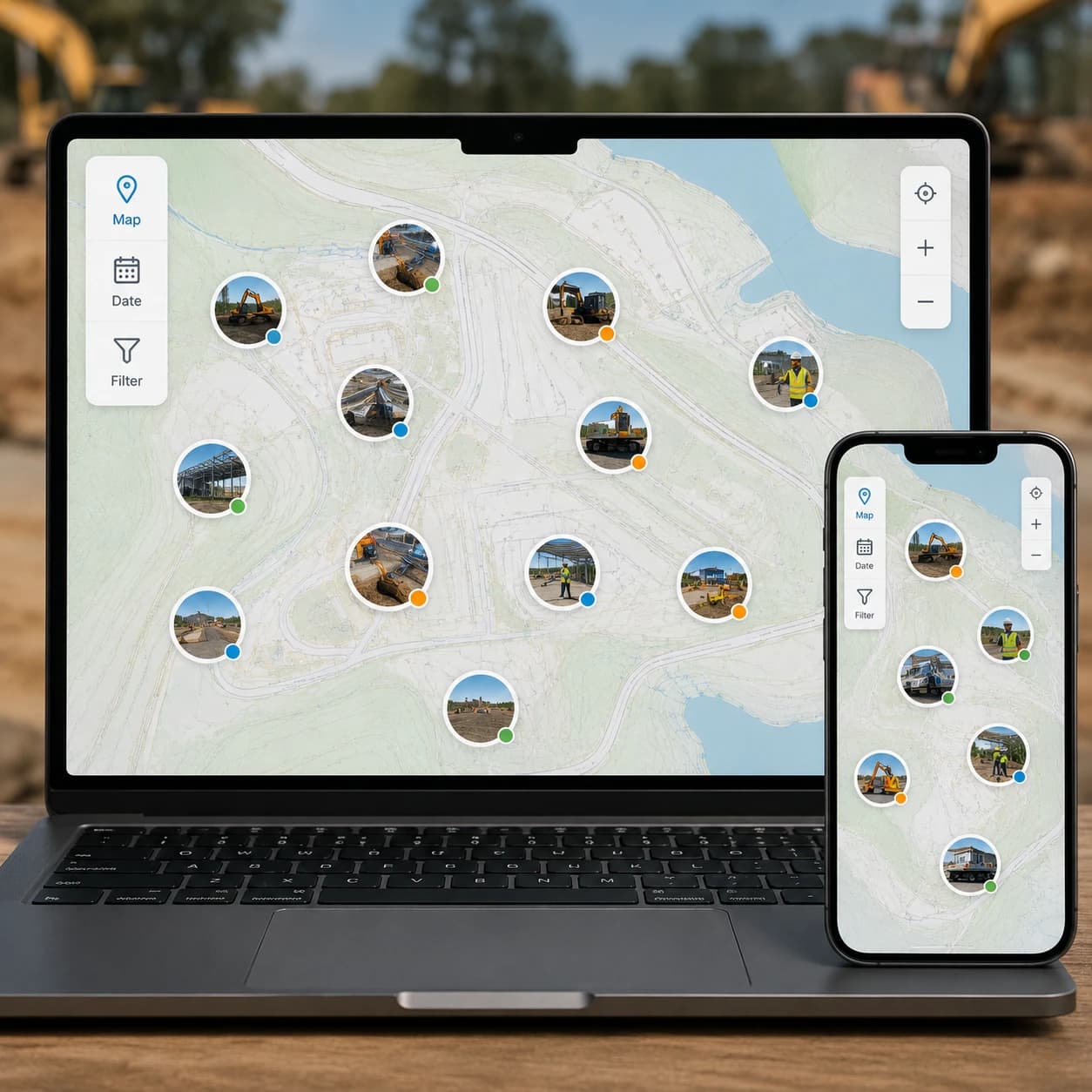
View on a Map
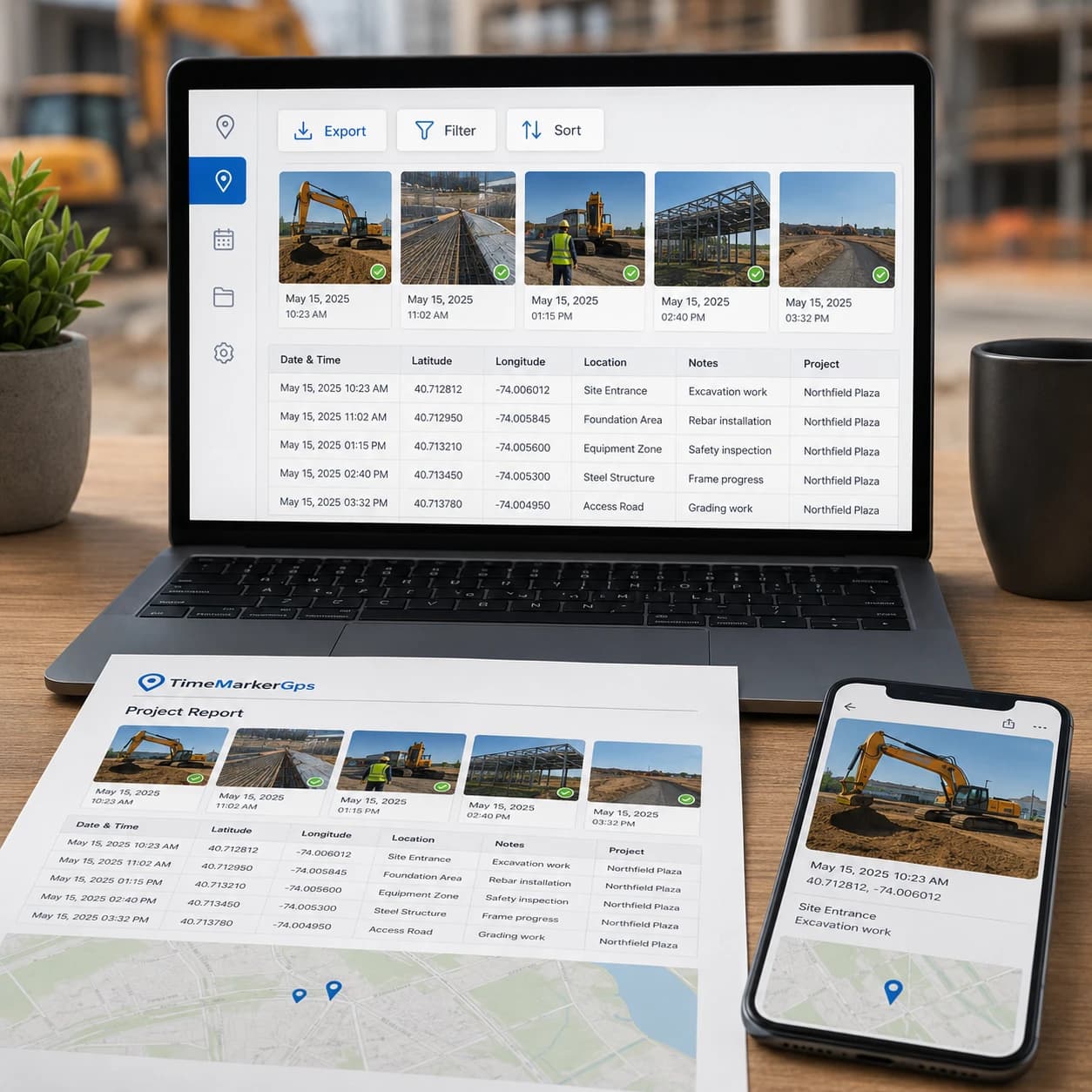
See every photo on a map to understand exactly where work happened, ideal for remote progress checks and multi-site projects.
- Zoom in to inspect specific areas or zoom out to see the whole site at a glance
- Quickly spot documentation gaps or track progress from anywhere
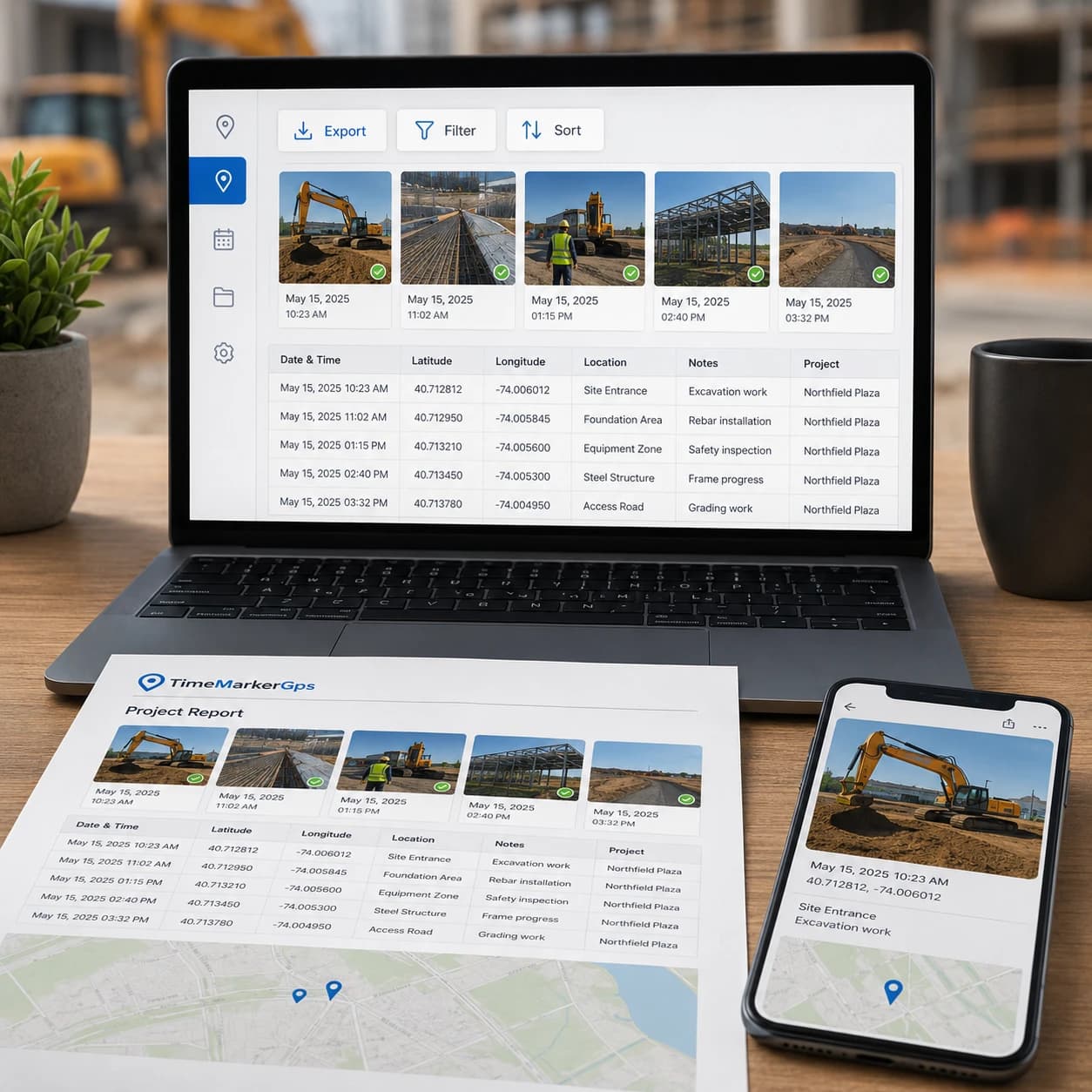
Quick Professional Reports
Turn your organized, location-tagged photos into professional reports in minutes. Less admin overhead, more time for real work.
- Export every GPS photo location, timestamp, and note in a single file
- Sort or filter by project, date, or other job details in Excel for fast analysis
- Keep verifiable proof of work ready to share with clients or management

Test Client Access to Shared Photo Records
Generate a live gallery link to your photos and share it with your team. No downloads, no attachments, just instant access.
- View the exact address and other context for each photo right in the gallery
- Pair visual data with written context to streamline your documentation
- Answer "where was this photo taken?" the instant you need to
How to Find a Photo's GPS Location?

1. Get TimeMarkerGps App
Search for TimeMarkerGps in your app store and install it. Open the app and allow camera and location access.

2. Take Geotagged Photos
Open the TimeMarkerGps camera and snap your field photo. It adds the GPS location and timestamp automatically.

3. Share Photos
Share or export your photos in a tap. Each photo's GPS location travels with it, so your team can confirm exactly where it was taken.
TimeMarkerGps vs Other Photo Tools
Comparison | TimeMarkerGps's Advantages |
vs System Camera | System Camera doesn’t add GPS directly to photos. TimeMarkerGps auto-tags GPS and time, making it great for field work proof . System Camera also can’t organize team photos by project, but TimeMarkerGps does it automatically. |
vs GPS Map Camera | GPS Map Camera has no centralized storage. Photos are messy across devices, but TimeMarkerGps stores all team photos in one place for easy access . TimeMarkerGps also organizes photos by member while GPS Map Camera can’t do that. |
vs CompanyCam | CompanyCam has no Map View. You can’t see photos on a map to track sites, but TimeMarkerGps’s Map View shows photos on maps for easy progress checks. TimeMarkerGps also offers Excel View for address checks. |
|
|
|
|
|

"TimeMarkerGps makes tracking our site photos so much easier. Every shot automatically carries its GPS photo location, so I no longer check coordinates by hand. I can instantly see where work is happening and share it with my team. It's the best tool we've used for reporting and tracking progress."
|
|
|
|
|
TimeMarkerGps can keep field photos associated with available project and GPS context, helping teams review records across multiple sites. Location fields remain subject to device settings, permissions, and GPS accuracy.
|
|
|
|
|
"As an inspector, I used to waste time figuring out where a photo was taken. With TimeMarkerGps, photos can include GPS location when location services and the required permissions are available. I can sort photos by site or project and export them straight into client reports. Definitely a practical way to manage field photos efficiently."
Want to Organize Job Photos Smarter?
TimeMarkerGps does more than show a photo's GPS location. It helps your team manage every project image in one place. With Teamspace, field photos are automatically grouped by project, date, and member, making it the best solution for tracking and collaboration.
Frequently Asked Questions
GPS location can add useful context to a field photo when reviewed with project notes and other records. Accuracy and acceptance depend on the device, capture conditions, workflow, and the requirements of the reviewer.
No. TimeMarkerGps does not let you change a photo's GPS location, which keeps your data authentic for work that depends on it, like inspections.
Yes. TimeMarkerGps uses recorded GPS technology, so the location data is exact, ideal for land surveys and construction site checks.
Yes. Capture GPS photos offline anytime, and the moment you reconnect, TimeMarkerGps syncs everything to your team.
Absolutely. Geo-photos carry real GPS and time data, giving you clear evidence to settle project disagreements quickly.
Just use TimeMarkerGps. Open the app, take a photo, and the GPS location is added automatically, no manual work required.
TimeMarkerGps captures the address, latitude, longitude, compass direction, and elevation, giving you every detail you need to track where each field photo was taken.
Because it automatically stamps every photo with a recorded GPS photo location, locks that data against tampering, and keeps all your images organized in one place. It's the best tool for reliable, verifiable field documentation.
Track Every Photo with GPS Photo Location
Download TimeMarkerGps free to automatically add a GPS photo location to every picture, auto-sort your field photos, and get clear proof of where each shot was taken. Protect your work and never ask "where was this photo taken" again.