
The Photo Evidence Solution That supports clearer dispute review
Build well-documented photo records with TimeMarkerGps. Snap time-stamped photos that give teams clearer records when disputes arise, simplify quality control for field crews, and help safeguard your pay and your business.
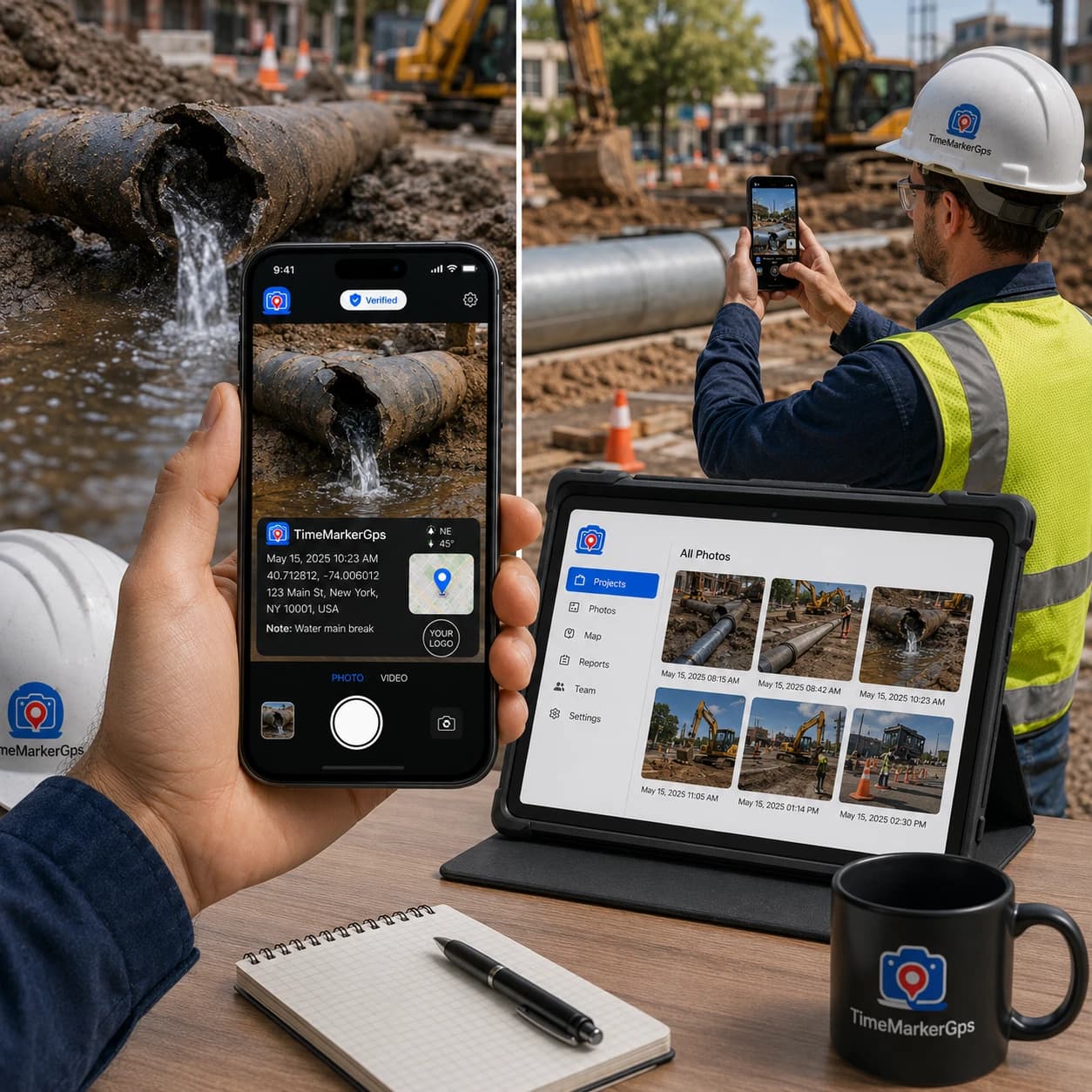
Designed for Clearer Photo Evidence
Built to help field teams capture, organize, review, and share project photo records from one workspace.



Where Ordinary Photos Lose Context
Ordinary camera-roll photos can become difficult to use when project names, capture locations, dates, and notes are separated from the image. TimeMarkerGps keeps that context connected to each field record.
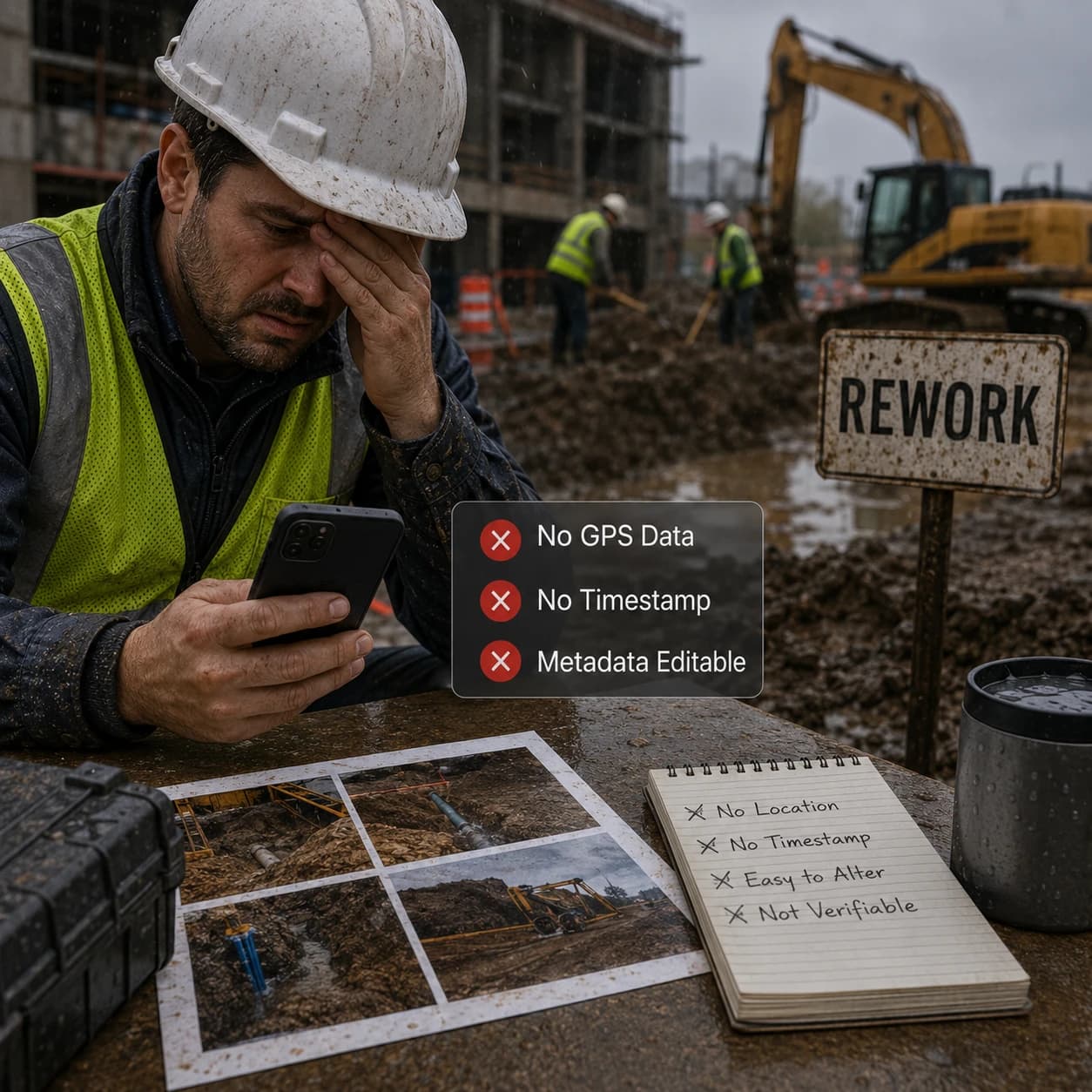
Three Photo Evidence Headaches
Missing Metadata
When a photo lacks accurate time and location metadata, or that metadata can be tampered with, questions like "where was this taken?" or "when did this actually happen?" get hard to answer, which can weaken your case or stall dispute resolution.
Manual Tagging Drags
Adding or fixing metadata by hand is a heavy lift. On big projects it burns hours, produces inconsistent tags, and can leave you missing photo evidence right when a dispute hits.
Messy Photos Stall Jobs
Missing or badly tagged images drag out payments, inspections, and legal claims because teams can't easily "find location from picture".
How TimeMarkerGps Fixes It
See how TimeMarkerGps clears the hurdles of capturing and organizing photo evidence

Connect Photos With Available Project Context
A supported record can keep a field photo together with available time, GPS location, project, and team details.
- Review stored time and location fields with the image
- Add notes and other context required by your workflow
- Use the photo code to retrieve available stored record details
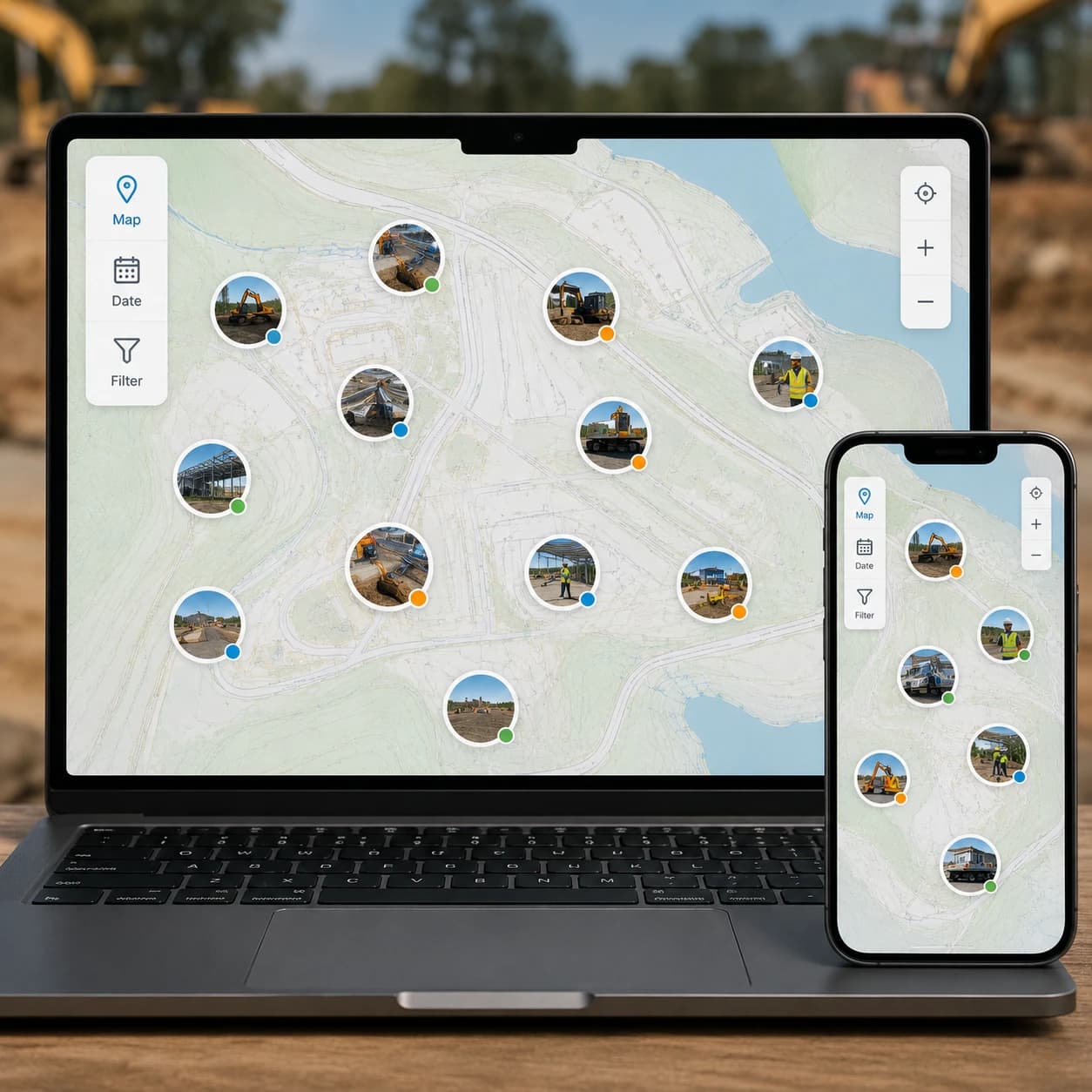
See It All on a Map
View all your photo evidence on a map to pinpoint exactly where work happened. Perfect for remote checks and multi-site projects.
- Zoom in to inspect a specific area, or zoom out for the whole site at a glance
- Quickly catch gaps in documentation or follow progress from anywhere
- Keep every image of evidence organized and easy to reference

Reports Ready in Minutes
Turn your organized photos with available GPS context into polished reports in minutes. Save hours and keep your photo evidence ready for audits, management, or the courtroom.
- Export every GPS photo location, timestamp, and note in one file
- Sort or filter by project, date, or other job details in Excel for fast analysis
- Hold on to verifiable evidence images you can share confidently with clients or management

Share a Live Gallery Link
Spin up a live gallery link to your photo evidence and share it with your team in an instant. No downloads, no attachments, just immediate access.
- See the exact address and full context for each photo in the gallery
- Pair visual data with written context to streamline your documentation
- Answer "where was this photo taken?" on the spot with trustworthy image truth
Capturing Photo Evidence in 3 Steps
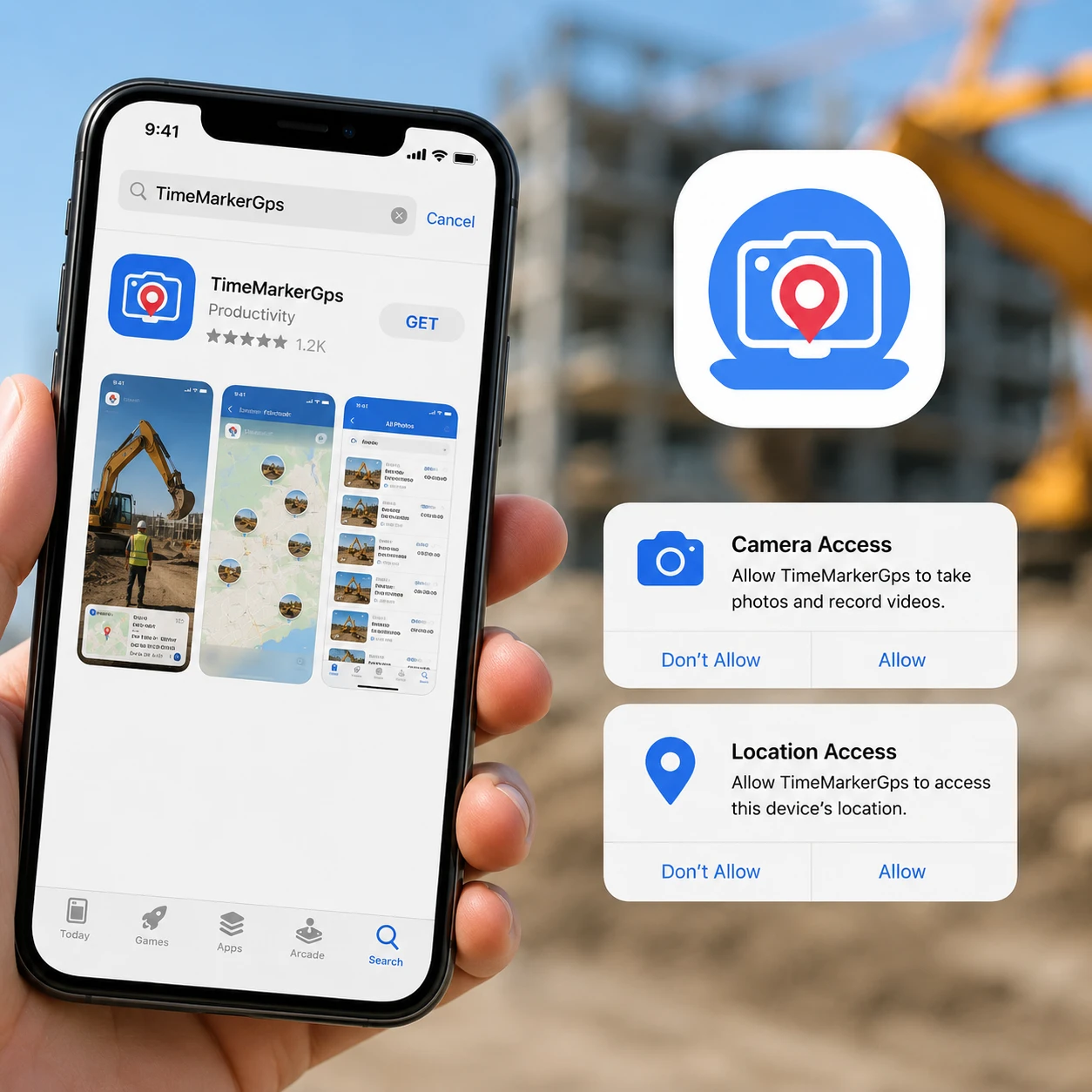
1. Get the TimeMarkerGps App
Head to the app store, search for TimeMarkerGps, and install it. Open the app and grant camera and location permissions. That's it, just a few taps and you're ready, with no complicated setup.

2. Take Stamped Photo Evidence
Tap the camera button in TimeMarkerGps to shoot. Every photo gets automatic GPS stamps and project tags, no manual edits, just clear proof.

3. Use It Right Away
TimeMarkerGps is built to be simple, with no training needed. Field crews and managers can capture verifiable photos with GPS, time, and metadata on the spot, then track down files effortlessly.
Who Counts On It
Construction Pros
Cut rework bills and resolve disputes quickly with TimeMarkerGps photos. Delivery speeds up too, the way one crew sidestepped major delays.

Legal Teams
Keep relevant project photos and available record context together for formal review. Legal acceptance remains subject to the applicable rules and reviewing authority.

Insurance/Security Firms
Take before-and-after photos for claims or incident reports. Record-linked photos can support claims or incident review when considered with the wider project documentation.

A Quick Bit of Photo History
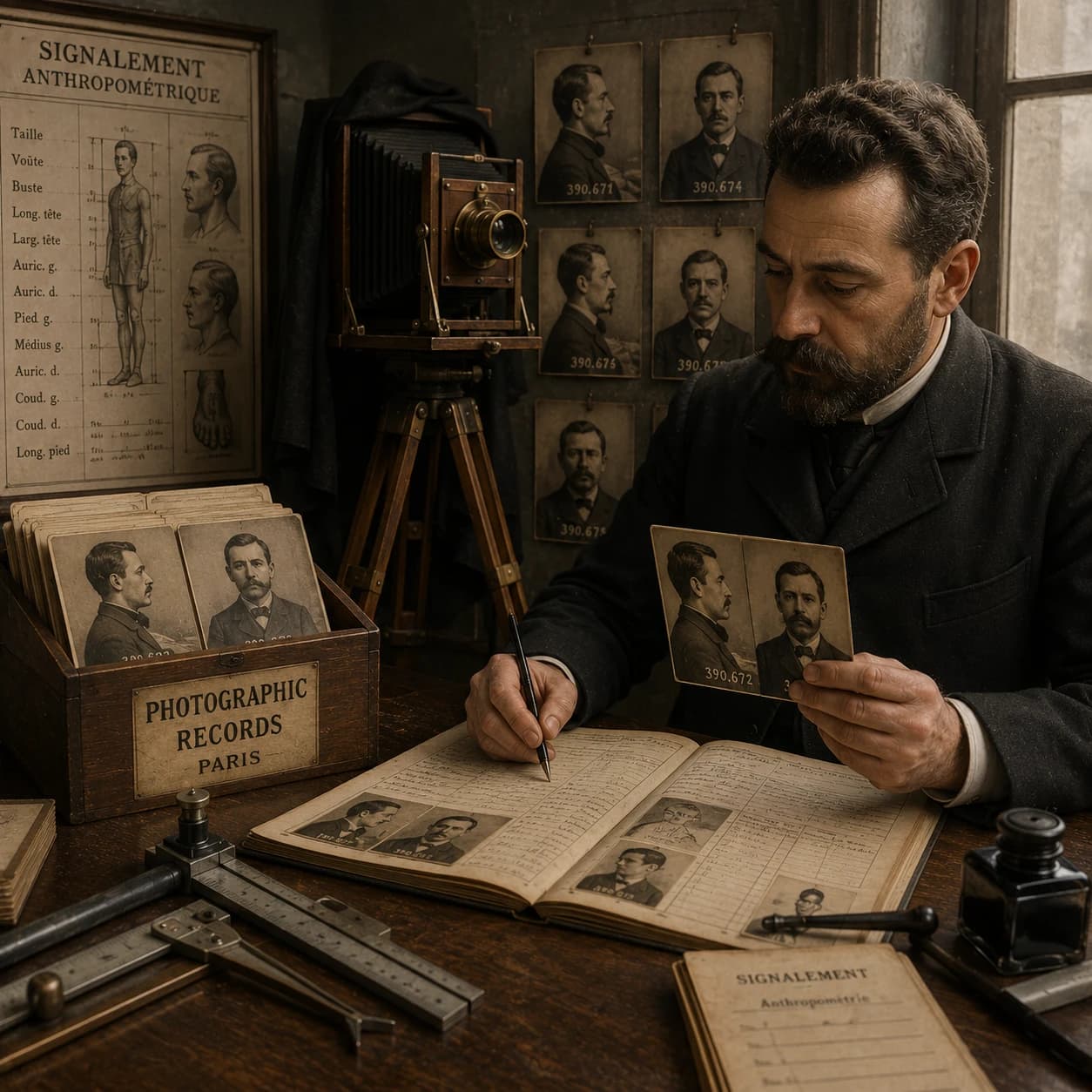
Back in the 1800s, Alphonse Bertillon pioneered the "mug shot" and turned crime photos into official records. Here's the catch, though: a photo isn't pure reality, it's a chosen slice of it. Photographers love their tales of the shots that got away, proof that photo evidence has always come with challenges.
★★★★★
"The GC insisted we'd fallen behind schedule. I fired back a TimeMarkerGps report with a full week of timestamped photos. No better app for handing us the evidence we need to protect our reputation, and our payments."
★★★★★
"Our crew's photos were total chaos before, no location, no context. Now TimeMarkerGps timestamps, maps, and verifies every image, and the endless 'where was this taken?' questions have stopped for good."
★★★★★
"Those unique photo codes from TimeMarkerGps keep every site shot trustworthy. For clean, credible photo records it's the best authentication tool we've tried, and sharing reports in one click sped up our office updates on cable installs."
Photo Evidence: Common Questions
A useful review record clearly identifies the relevant project, available time and location context, who supplied the record, and how it was retained. Legal admissibility is a separate decision governed by the applicable jurisdiction and the reviewing authority.
Step 1: Capture photos with TimeMarkerGps. It auto-records GPS, time, and date to satisfy the core metadata requirements.
Step 2: Add project notes (e.g., "Structural Beam Inspection") and custom tags (e.g., "High-Risk Zone A").
Step 3: Sync to the centralized teamspace for secure, traceable storage.
The system only accepts photos shot directly in the app's built-in camera, which stamps secure timestamps and GPS data at the moment of capture. That blocks any pre-taken or edited uploads. Every image also carries unique verification codes, so any attempt to alter or fake photo evidence is easy to spot.
TimeMarkerGps can keep a photo together with available project, contributor, time, location, and note fields. A supported photo code can retrieve the associated stored record. These details can make later review easier, but they do not independently establish whether an image has been modified, provide a formal custody record, or determine acceptance in a legal process.
Step 1: Photograph the service site with TimeMarkerGps before and after the job—the auto-stamped location and time prove on-site completion.
Step 2: Add notes like "Leak Repaired, System Tested" and the client's on-site signature if possible.
Step 3: Share the photo report through the app with clients promptly as completion proof.
Try TimeMarkerGps Free and Lock In Solid Photo Evidence
Download TimeMarkerGps now to stamp verifiable proof on every photo and get your team's photo workflow organized fast.