
Review Project Photo Records in Photo Sheet
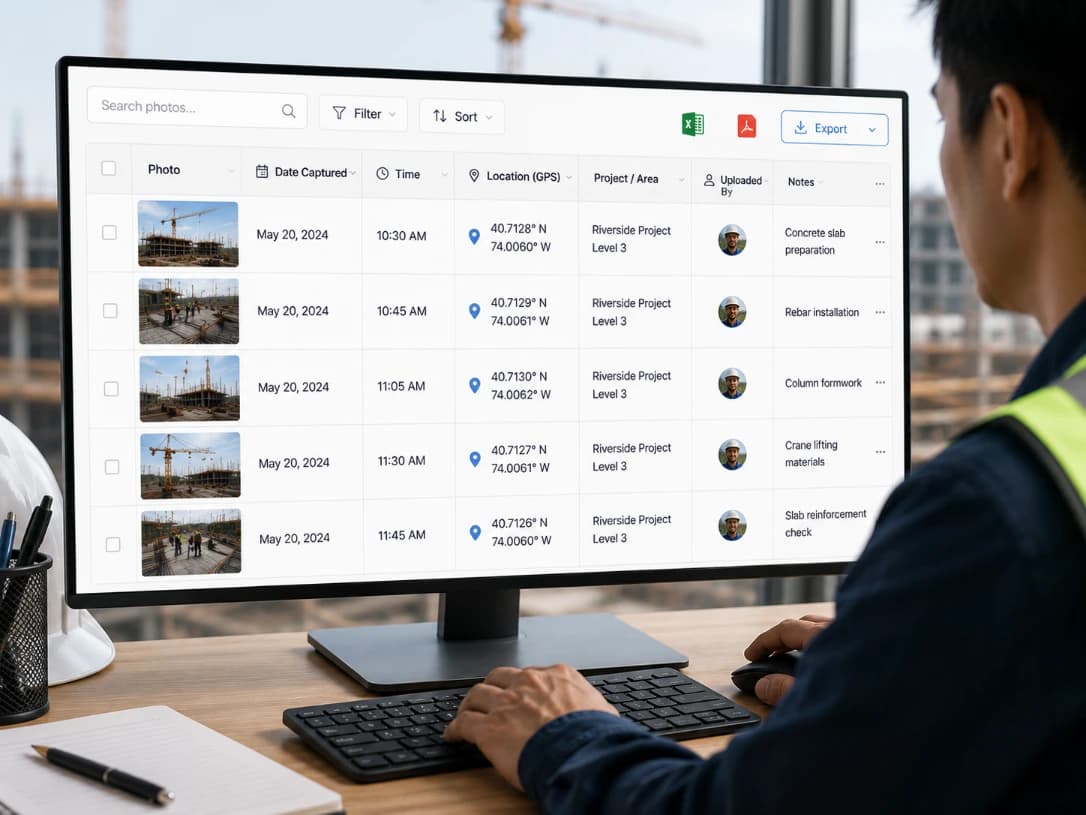
Use a structured sheet view when a gallery is not enough. Photo Sheet helps teams scan project records and work with supported filters such as project, contributor, file type, status, and date.

Designed for Faster Jobsite Photo Review



What Is Photo Sheet?
Photo Sheet is a table-style review workflow for records associated with TimeMarkerGps teams and projects. It supports repeated-field review for workflows such as construction progress and property and facility documentation.
Designed for Faster Jobsite Photo Review

Review Records From the Shared Workspace
Authorized team members can review records associated with their teams and projects. Confirm the columns, download controls, and export formats available in the current Teamspace version before designing a formal reporting process.

Sort and Filter the Records You Need
Narrow a large project record set with supported project, contributor, type, status, and date filters. Use consistent project selection and notes during capture so the resulting sheet remains useful to office reviewers.
Photo Sheet FAQs
Learn how Photo Sheet relates to project records, supported filters, team review, and current export controls.
Photo Sheet can display available project fields beside each image, such as member, recorded time, location, notes, labels, and other configured details.
No. It provides a table-style review of photos and their associated records. Editing available fields does not silently replace the original captured image.
Use the available filters to narrow the table, review the selection, and export supported formats. Confirm the selected project and date range before generating a report.
Authorized users can review synchronized project records in the web workspace. Visibility follows the workspace and project permissions configured by the team.