
The CompanyCam Alternative Built Around Verified Field Photos
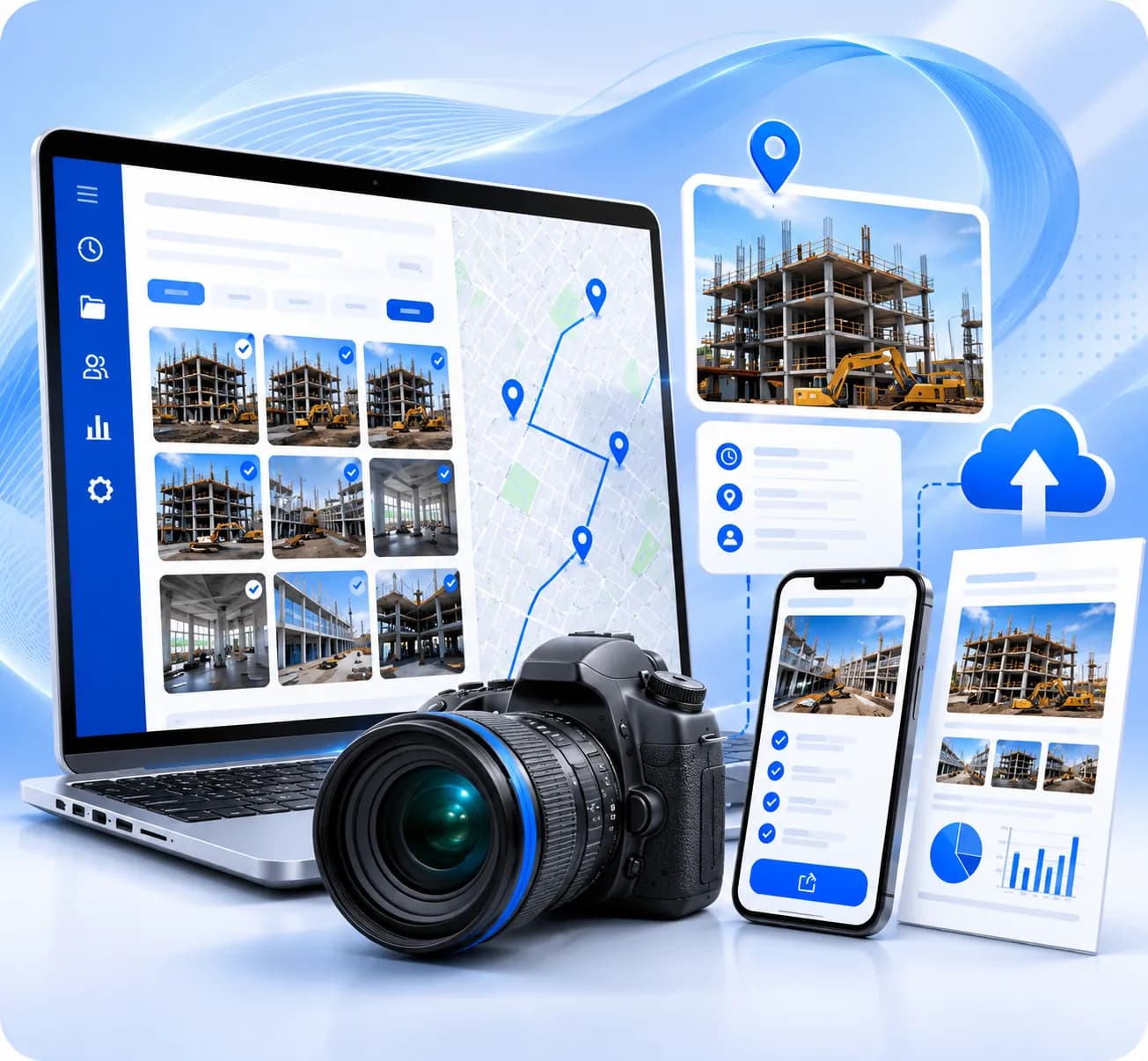
Field teams moving away from CompanyCam trust TimeMarkerGps to handle the heavy lifting. GPS and time data attach to every shot automatically, photos sort themselves by job and crew without any manual input, and a shareable, professional report is never more than a single tap away.
Powering field documentation for over 3.7 million professionals at companies like



What Sets TimeMarkerGps Apart from CompanyCam
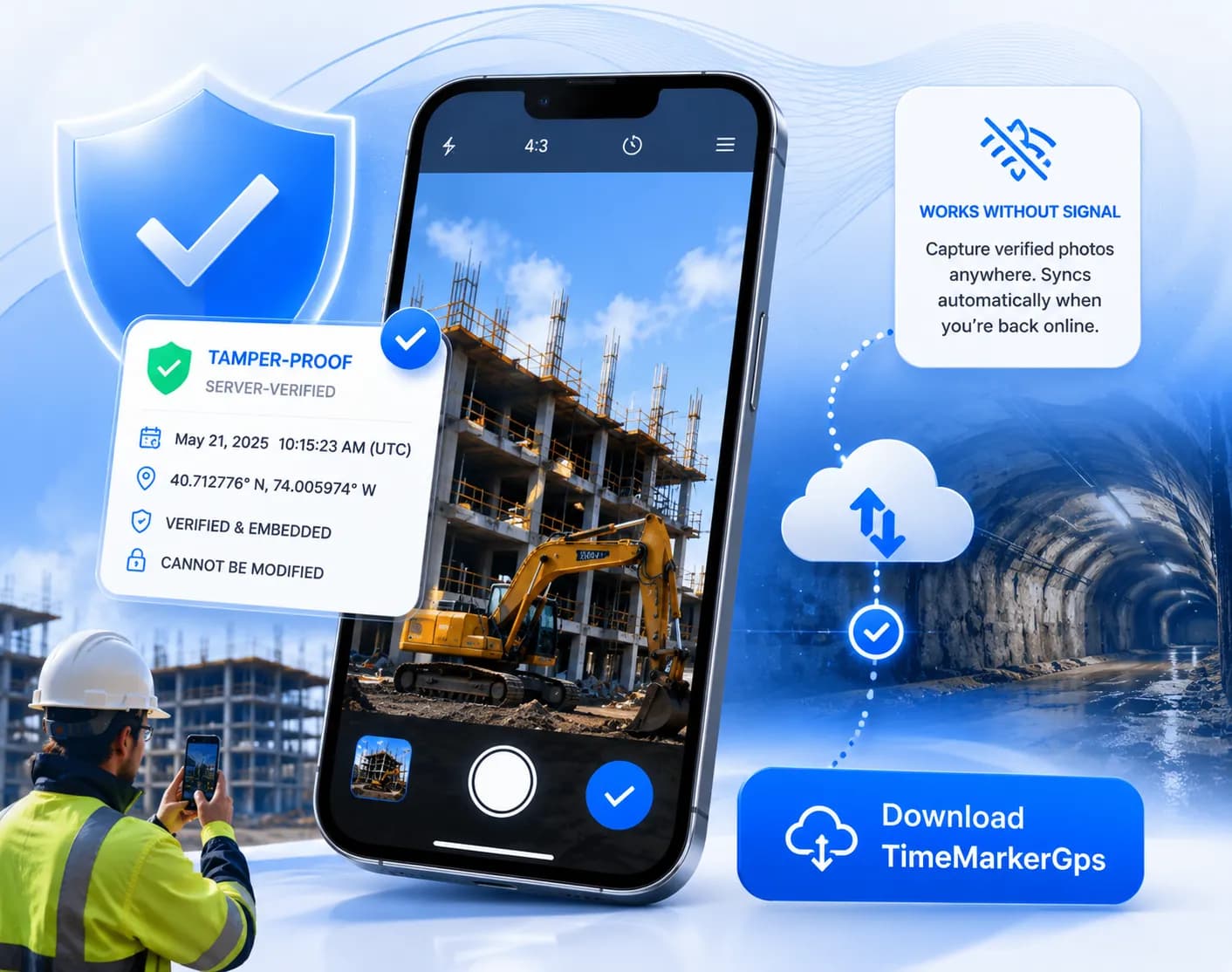
A supported TimeMarkerGps record can keep an image together with available project, contributor, date, location, GPS, weather, and note fields. A photo code can retrieve that stored record for comparison when a client or inspector asks about the documentation.
Pricing that matches how field crews actually work — TimeMarkerGps charges per active user, with no seat minimums and no forced bundles. Scale up when a big project ramps and back down when it wraps, paying only for the crew members who are genuinely using the tool.
Photos that collect themselves — the moment a crew member captures an image, it begins syncing to the shared workspace. TimeMarkerGps gathers photos from every team member automatically, recovers offline captures the instant connectivity returns, and stores everything in an organised cloud archive that nobody has to manually maintain.
Select representative project photos and test the report, download, or sharing options available in the current version. Verify required fields, branding, image quality, recipient access, and processing time before promising a specific deliverable.
Connect Your Site and Office in 3 Steps
Up and running in under five minutes — no IT setup, no training sessions, no onboarding calls required.
Set up your team workspace and add your first project in under two minutes. No credit card required to start, and your first team member can be documenting before the end of the day.
Send invites to field crew via email, SMS, or a shareable link. Team members join with one tap — no app configuration or IT involvement needed on their end.
Crew members take photos on site and they appear in the shared workspace automatically. Supervisors and project managers see the live feed from the office the moment each image is captured.
Core Capabilities That Give TimeMarkerGps the Edge Over CompanyCam
Connect Field Photos With Stored Project Context
Record-linked context: A supported record can keep the image together with available project, contributor, time, location, and note fields.
Review by photo code: Enter a supported TimeMarkerGps photo code to retrieve the associated stored image and available details. The lookup does not independently determine whether the image has been modified or whether its metadata will be accepted by a third party.
Photos That Sort Themselves the Moment They Are Captured
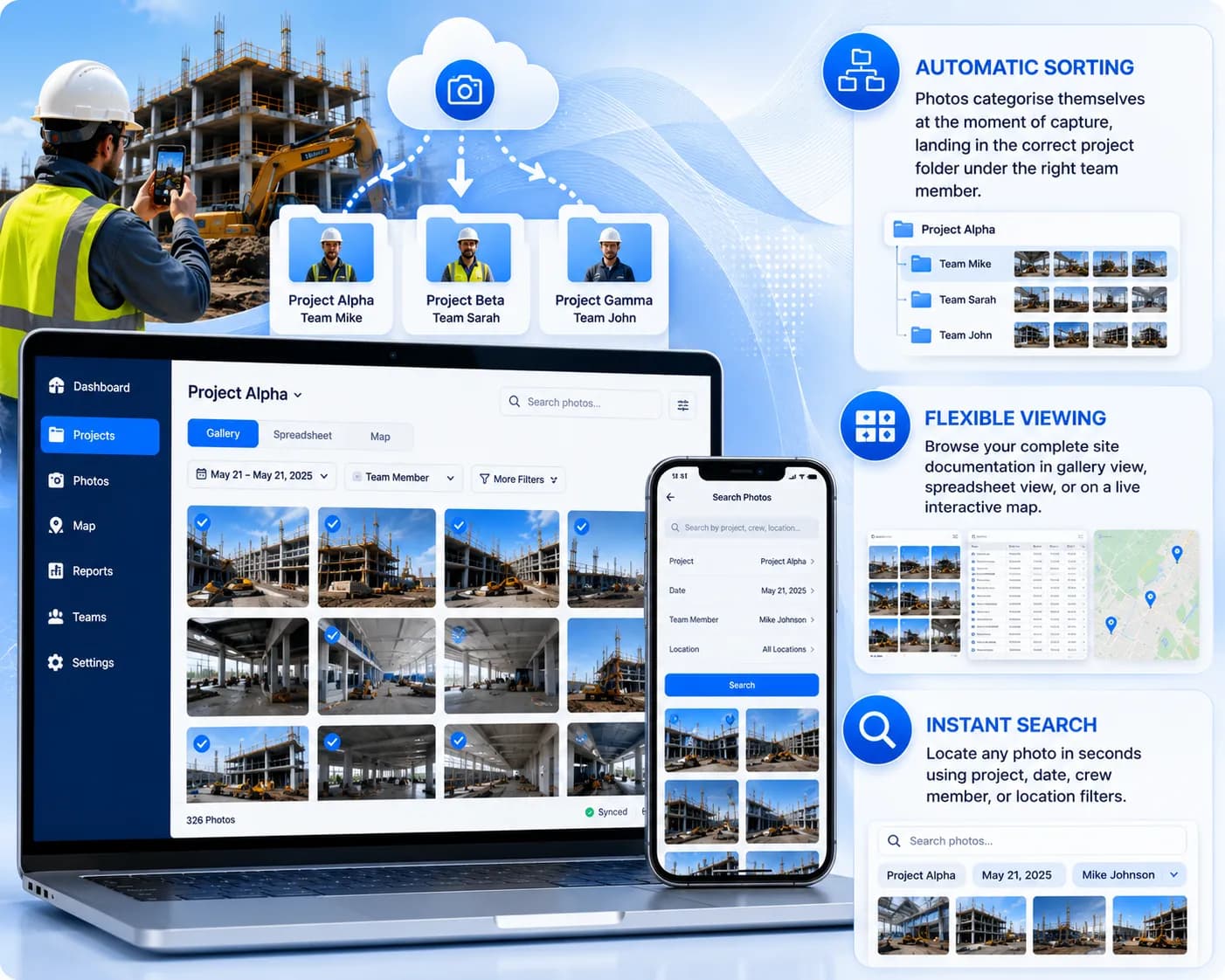
Project-Based Organization — photos stay grouped under the project and team member selected during the capture workflow, reducing folder-shuffling and end-of-day filing.
Flexible Viewing — browse your complete site documentation in gallery view, spreadsheet view, or on a live interactive map depending on what the task requires.
Instant Search — locate any photo in seconds using project, date, crew member, or location filters.
Your Whole Team Sees the Same Live Feed — Instantly
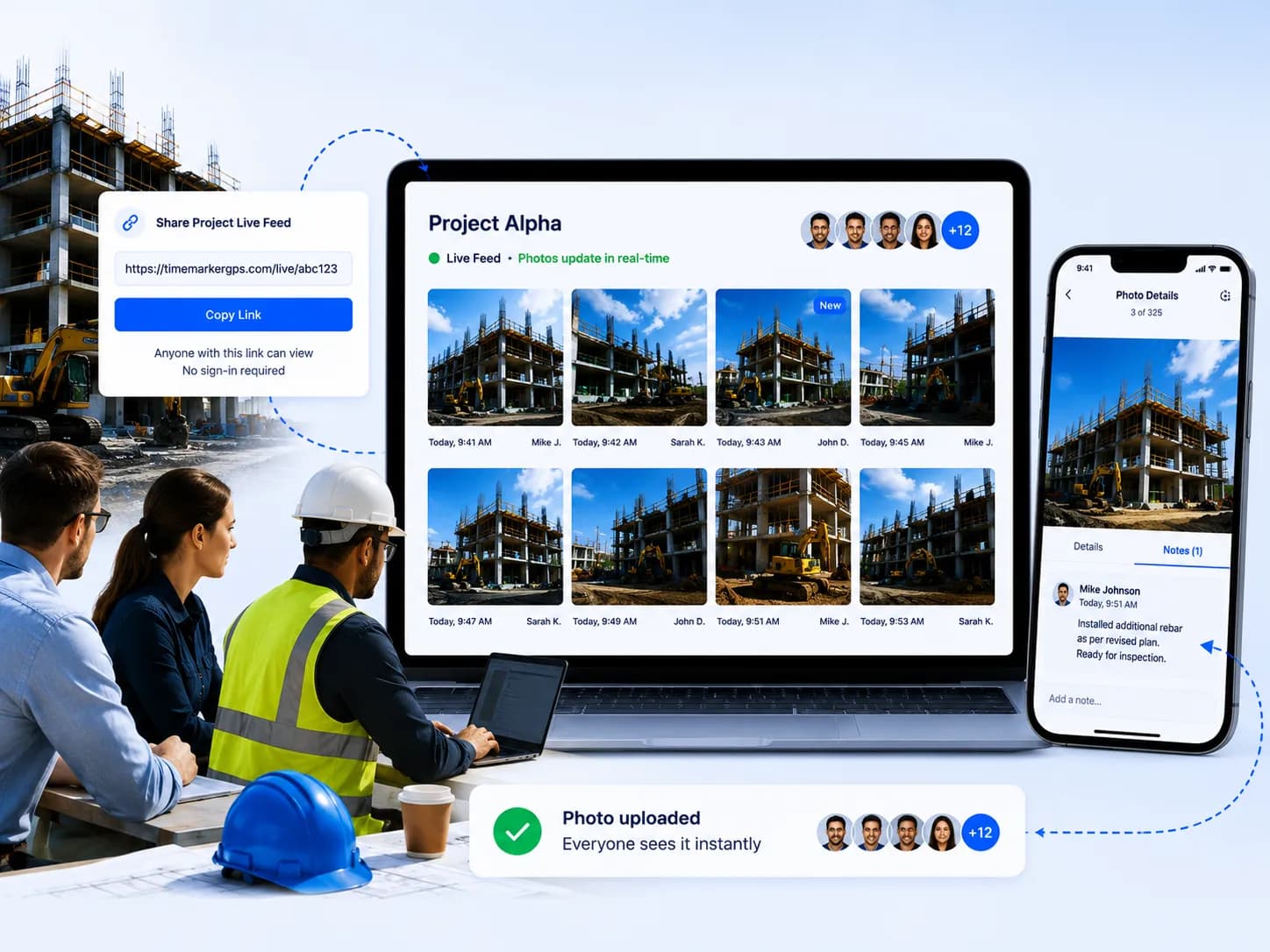
Client delivery: Test the current sharing methods, recipient experience, permissions, and revocation controls before using them on a live project.
Team review: Confirm how new records appear across devices and connections, and document any refresh or retry steps your crew needs.
The Real Reasons Field Teams Choose TimeMarkerGps Over CompanyCam
Field Service & Inspection Crews — clear, traceable documentation matters to service teams. TimeMarkerGps captures timestamped images that can include GPS context when location services and permissions are available. Teams can then organize and share selected records with clients.
Construction & General Contractors — daily logs and quality checks demand photos tied to specific dates, locations, and team members. TimeMarkerGps automates every layer of that metadata, keeps each project's photo stream cleanly isolated, and converts everything into a formal report in minutes — reducing rework risk and potential liability.
Telecom & Infrastructure Teams — signal outages and remote worksites mean connectivity is never help supportd. TimeMarkerGps captures and stores photos offline without limit, then syncs the complete, verified batch the moment the team returns to coverage — ensuring no installation record or maintenance image disappears into a dead zone.
Common Questions About Switching from CompanyCam to TimeMarkerGps
The field-photo market includes products designed for different workflows. When comparing TimeMarkerGps with CompanyCam or another platform, test the capabilities your team actually needs: project setup, member access, capture context, record lookup, search, sharing, exports, offline behavior, retention, and support. Confirm each capability in the current product before making a purchasing decision.
Run a pilot that covers project setup, capture context, limited-connectivity behavior, record organization, search, team access, reporting, stakeholder delivery, retention, support, and total plan cost. Confirm every required capability in the current version rather than relying on a feature list.
Run a pilot using a real project and a defined photo checklist. Confirm how each product associates images with projects and contributors, which time and location fields are available, how records are found later, and what sharing or export controls are currently supported. Choose based on observed workflow results rather than unverified feature claims.
Small crews cannot absorb bloated software built for enterprise procurement teams. The best CompanyCam alternatives give small contractors a clean interface any new hire can pick up without training, pay-per-user pricing with no floor, and the core documentation features — available GPS context, project-based organization, and report export options — built in from the start. TimeMarkerGps was designed with exactly that profile in mind.
Field-first design is what separates strong CompanyCam alternatives from office-centric tools. TimeMarkerGps operates at full capability with no internet connection — photos capture, metadata attaches, and everything queues for upload. The moment the device reconnects, every image syncs to the correct project workspace without any action from the field crew. For teams on remote construction sites, underground utility corridors, or rural telecom routes, that offline reliability is the deciding factor.
Ready to Move On From CompanyCam? Start with TimeMarkerGps for Free
Get your team capturing jobsite photos with available GPS context from day one — no training sessions, no annual contracts, no minimum seat count. Create your free workspace and experience a leaner, faster approach to field photo documentation that scales exactly as your crew does.