
Site Inspection App for Field Teams
TimeMarkerGps automatically collects field photos, organizes them by project and team member, reduces manual work, and generates organized for review reports that can be shared instantly—helping teams save time and stay aligned across every inspection.
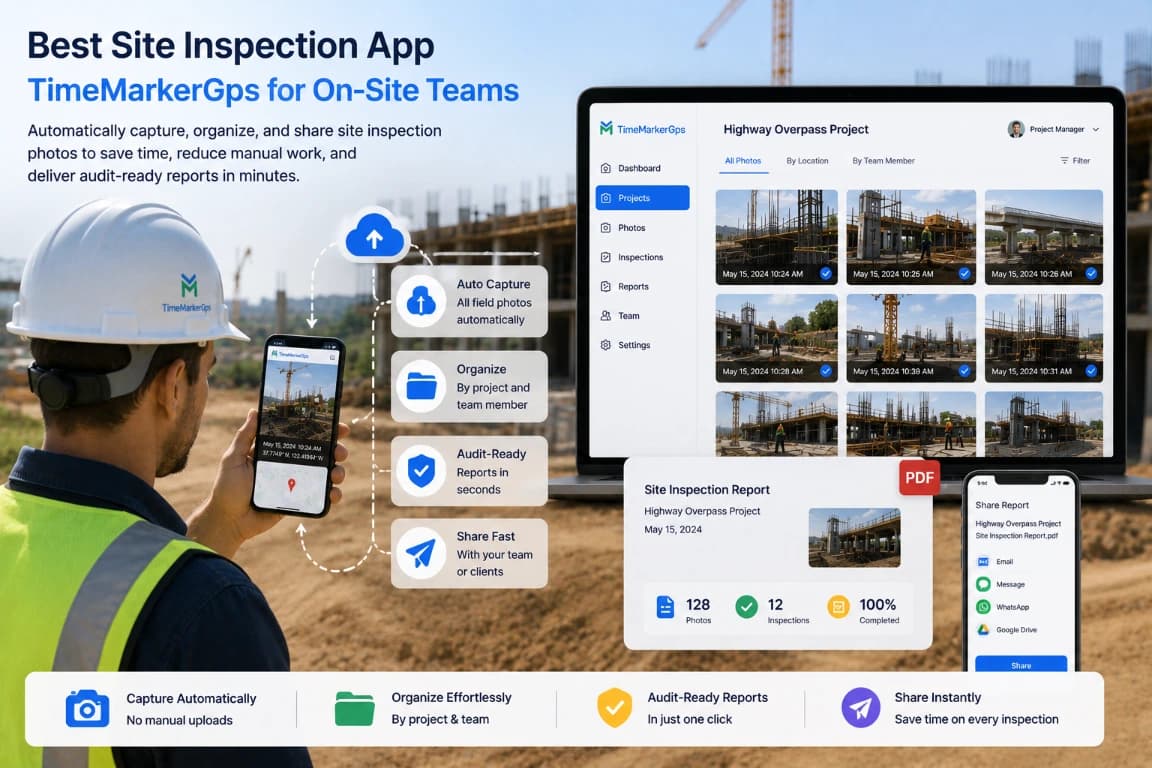
Designed for Repeatable Site Inspections



Done With Messy Field Photos and Wasted Hours?
-Hours vanish sorting site photos by hand and digging through folders for the right shots.
-Endless back-and-forth emailing of photos breeds confusion and lost files.
-Panicking when key shots for inspections are missed, risking delays and rework.
-The chaos drags your team down and puts safety compliance at risk.
-No clear way to track who submitted which photos, turning audits into a headache.
-Time burned rebuilding reports by hand instead of running actual site inspections.
-Little visibility into team activity, fueling miscommunication and wasted effort.
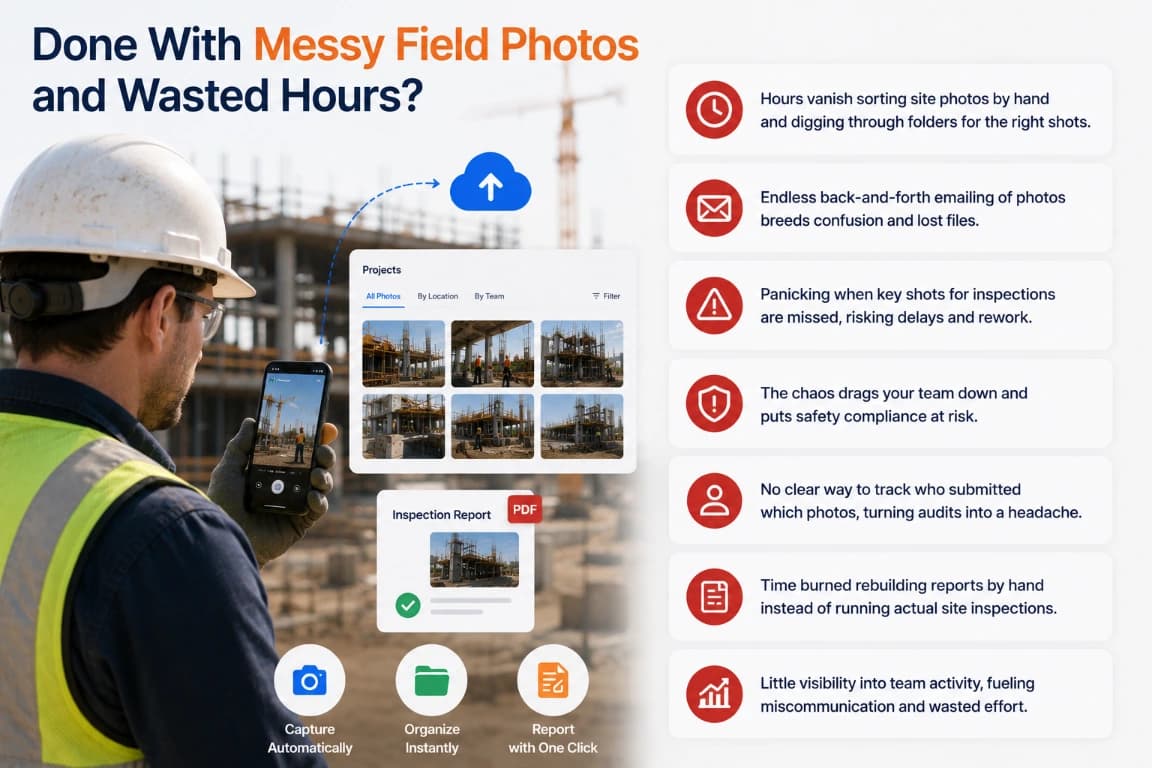
Designed for Repeatable Site Inspections
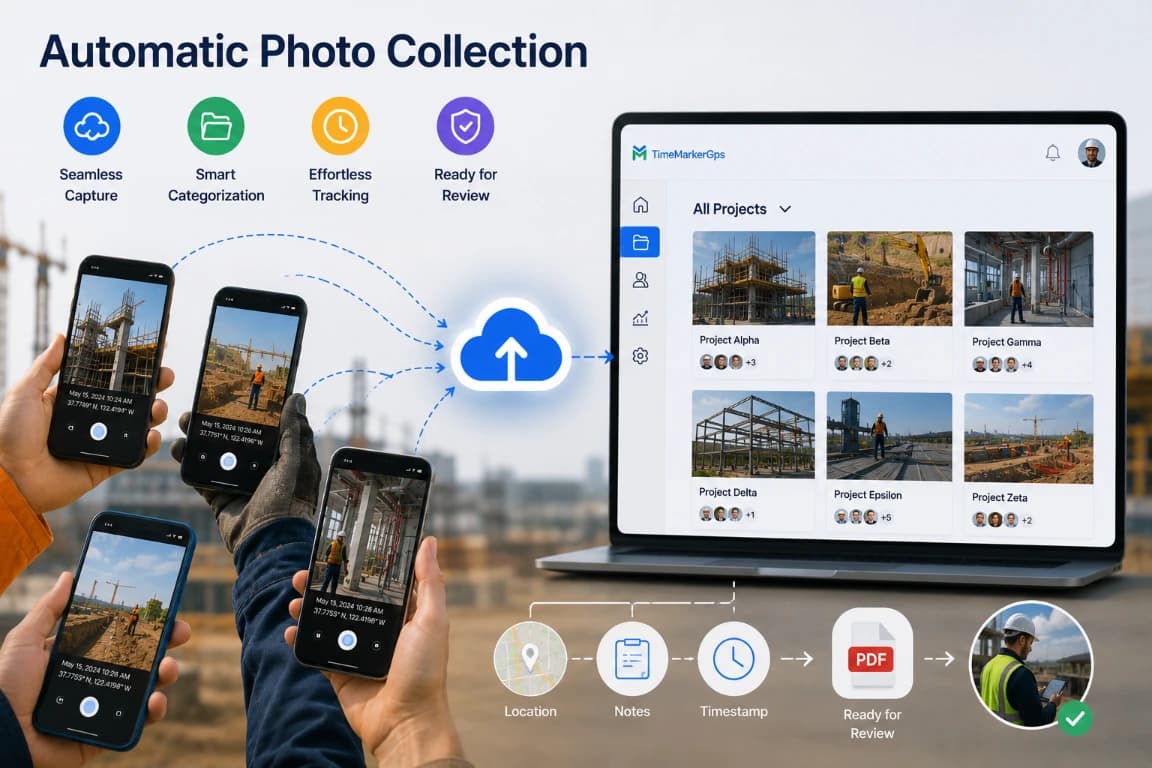
Automatic Photo Collection
Automatically pull photos from every team device, saving time and making sure nothing slips—time, location, notes, or any detail you need.
• Seamless Capture: Photos sync from devices with zero manual uploads.
• Smart Categorization: Images organize themselves by project and member.
• Effortless Tracking: Every site activity is logged in real time.
• Ready for Review: Photos are instantly available for inspection or audit.
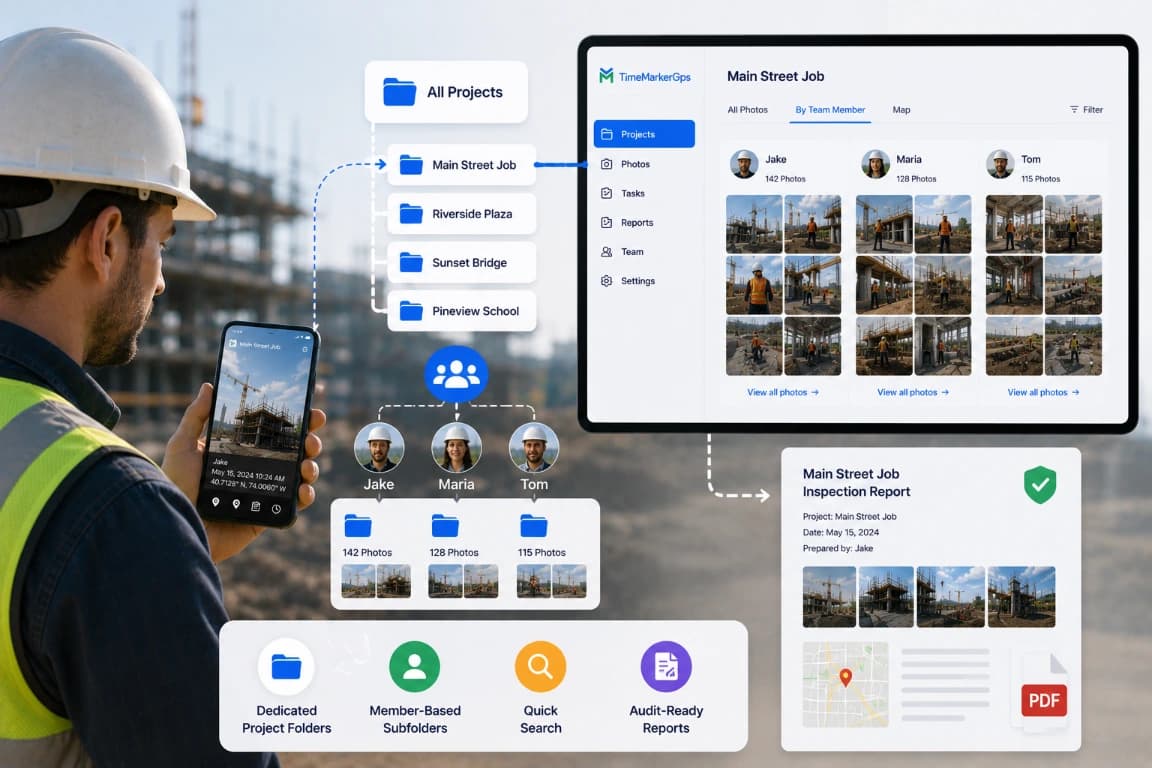
Organized by Team & Project
Each project gets its own main folder with photos split by team member, so you can locate any image and generate reports in an instant. Assign photos and tasks to the right project every time.
• Dedicated Project Folders: One main folder keeps every related photo together.
• Member-Based Subfolders: Photos auto-split by team member for clear accountability.
• Quick Search: Pull up any photo—like a “Main Street Job” shot from Jake—in seconds.
• organized for review Reports: Build professional reports fast without combing through messy libraries.
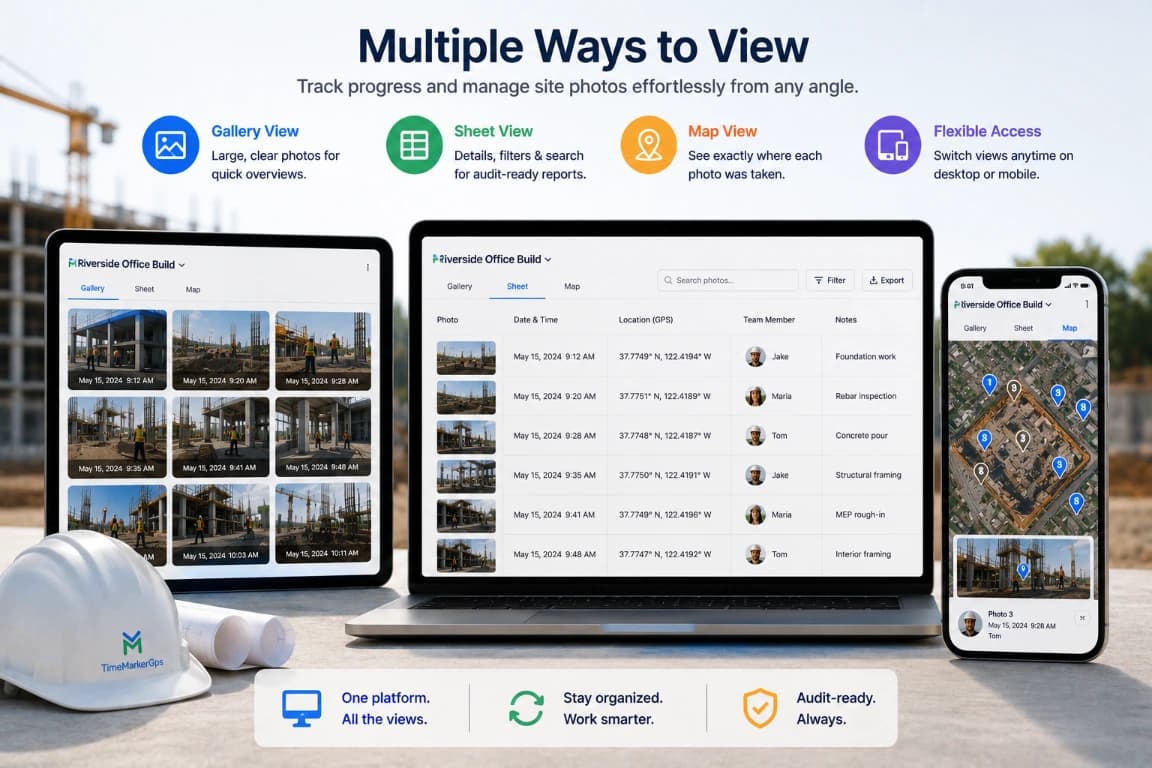
Multiple Ways to View
a practical site inspection software gives you multiple views to track progress and manage photos effortlessly from any angle.
• Gallery View: Show client photos large and clear for quick overviews.
• Sheet View: List every photo with GPS, date, and team-member details; filter or search specific shots and build organized for review reports.
• Map View: Pin photos on a real map to see exactly where each on-site shot was taken.
• Flexible Access: Switch views anytime on desktop or mobile, wherever you are.
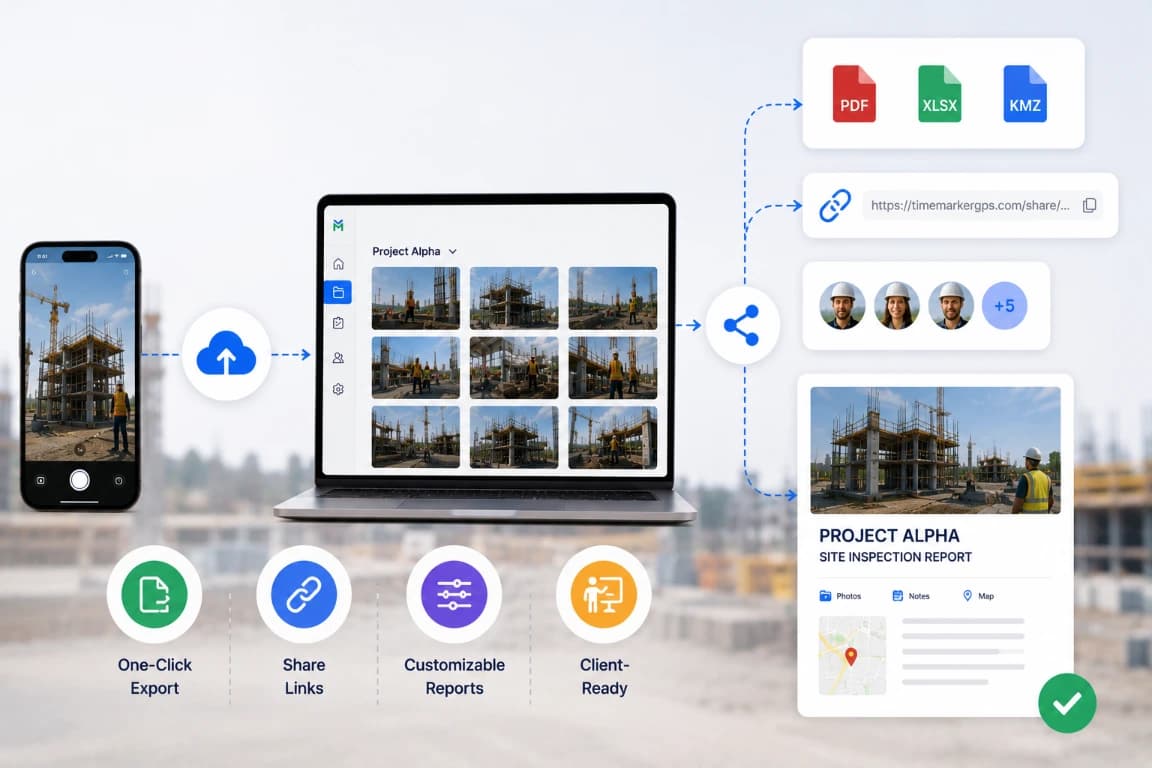
Build Inspection Reports for Review
Turn selected inspection photos and available project context into a structured record for review.
• Output options: Confirm the report and data-delivery types available in your current version and plan.
• Sharing: Test recipient access, permissions, expiration, and revocation before sending client updates.
• Customization: Generate a sample to verify branding, fields, image quality, and layout.

Test the Workflow Under Limited Connectivity
Before field deployment, test capture behavior on supported devices with a weak or interrupted connection.
• Confirm which actions remain available.
• Check how pending and failed records are identified.
• Verify what happens after connectivity returns and how retries are handled.
• Preserve local originals until the team confirms each record is available in the workspace.
Where Teams Put It to Work
Workflow guidance
Define the inspection scope, required views, observation fields, and reviewer before field work begins.
Field Service Teams
Stop burning hours chasing photos over email. TimeMarkerGps captures your team’s on-site shots automatically, so you share updates fast and keep everyone aligned—even on remote jobs!
Quality Management Teams
Safety audits and quality checks demand clear documentation. TimeMarkerGps stores every photo with GPS stamps, so you find what you need fast, prove compliance, and take the stress out of audits!
Workflow Review Checklists
Use these checks as a starting point, then adapt them to your team’s process, permissions, and reporting requirements.
Inspection scope check
Review the relevant project records, confirm that required context is present, and document any follow-up before sharing or exporting.
Required-photo check
Review the relevant project records, confirm that required context is present, and document any follow-up before sharing or exporting.
Observation notes
Review the relevant project records, confirm that required context is present, and document any follow-up before sharing or exporting.
Issue follow-up
Review the relevant project records, confirm that required context is present, and document any follow-up before sharing or exporting.
Report selection
Review the relevant project records, confirm that required context is present, and document any follow-up before sharing or exporting.
Permission review
Review the relevant project records, confirm that required context is present, and document any follow-up before sharing or exporting.
Your Field Photos Are Safe & Secure With TimeMarkerGps
Privacy and security matter for your construction and on-site photos. TimeMarkerGps stores every shot safely, and each one carries GPS and date stamps for clear context. Once a photo is uploaded or signed, it stays exactly as captured—no edits allowed. That is essential for industries facing legal scrutiny, so your photos stay trustworthy, every time.
Questions Field Teams Ask Most
Step 1: TimeMarkerGps auto-collects on-site photos from your team’s mobile devices with no extra effort.
Step 2: It organizes them by project, so you never lose hours searching.
Step 3: It speeds up sharing and reporting, helping you wrap up inspections faster.
Step 1: Every shot lands in one shared, organized space.
Step 2: Anyone on the team can open the photos anytime.
Step 3: You can see who took each photo, so questions get resolved fast.
Step 1: Turn site photos into clean PDFs or share them by link with clients.
Step 2: Photos carry GPS and date stamps, showing clear, organized documentation.
Step 3: Clients get fast, easy access to clearly labelled progress photos.
Start with a pilot that uses your current inspection checklist and downstream software. Confirm available report and data-delivery options, required fields, image quality, file handling, and recipient access before adopting the workflow.
The site inspection app lets teams capture, organize, and report on-site photos easily—even on weak internet. TimeMarkerGps stands out among site inspection apps because it auto-collects and sorts field photos by project and member, keeps records accurate for audits, and generates inspection reports in minutes. It is built for construction and field teams who want faster, more reliable construction photo documentation without the manual grind.
Yes. TimeMarkerGps automatically attaches GPS coordinates to every photo and inspection entry, so you always know exactly where each observation or issue was recorded. Paired with time stamps and project tagging, it keeps tracking accurate and organization easy across all your sites.
Test the current app on supported devices at a representative site. Confirm which actions remain available, how pending records are shown, what happens after connectivity returns, and how failed transfers can be retried or recovered.
Ready to End Field Photo Chaos for Good?
TimeMarkerGps is designed to organize site-inspection photos by project and contributor. Pilot the current capture, limited-connectivity, report, and sharing workflow on your supported devices before standardizing it for inspections.