
Traceable Photo Records Built for Fieldwork
TimeMarkerGps keeps field photos connected with available time, location, project, and team context. These record-linked details help contractors and field-service teams review documented work without presenting the app as an independent authority on whether an image was edited.

Designed for Traceable Photo Records
Built to help field teams capture, organize, review, and share project photo records from one workspace.



Understand What Photo Metadata Can Show
Photo metadata can add useful context, but GPS coordinates, dates, and times may be incomplete, inaccurate, missing, or modified. A TimeMarkerGps photo code provides a way to retrieve the stored record and review the available image, creator, time, location, weather, and project fields. Use that information with the wider project record; the lookup does not independently establish whether an image has been modified or determine legal acceptance.

Designed for Traceable Photo Records

Keep Available Capture Details With the Record
Supported photo records can include time, GPS coordinates, address, project, and team context supplied during the capture or upload workflow.
- Review stored time and location fields alongside the image
- Add notes and other available context when required by the project workflow
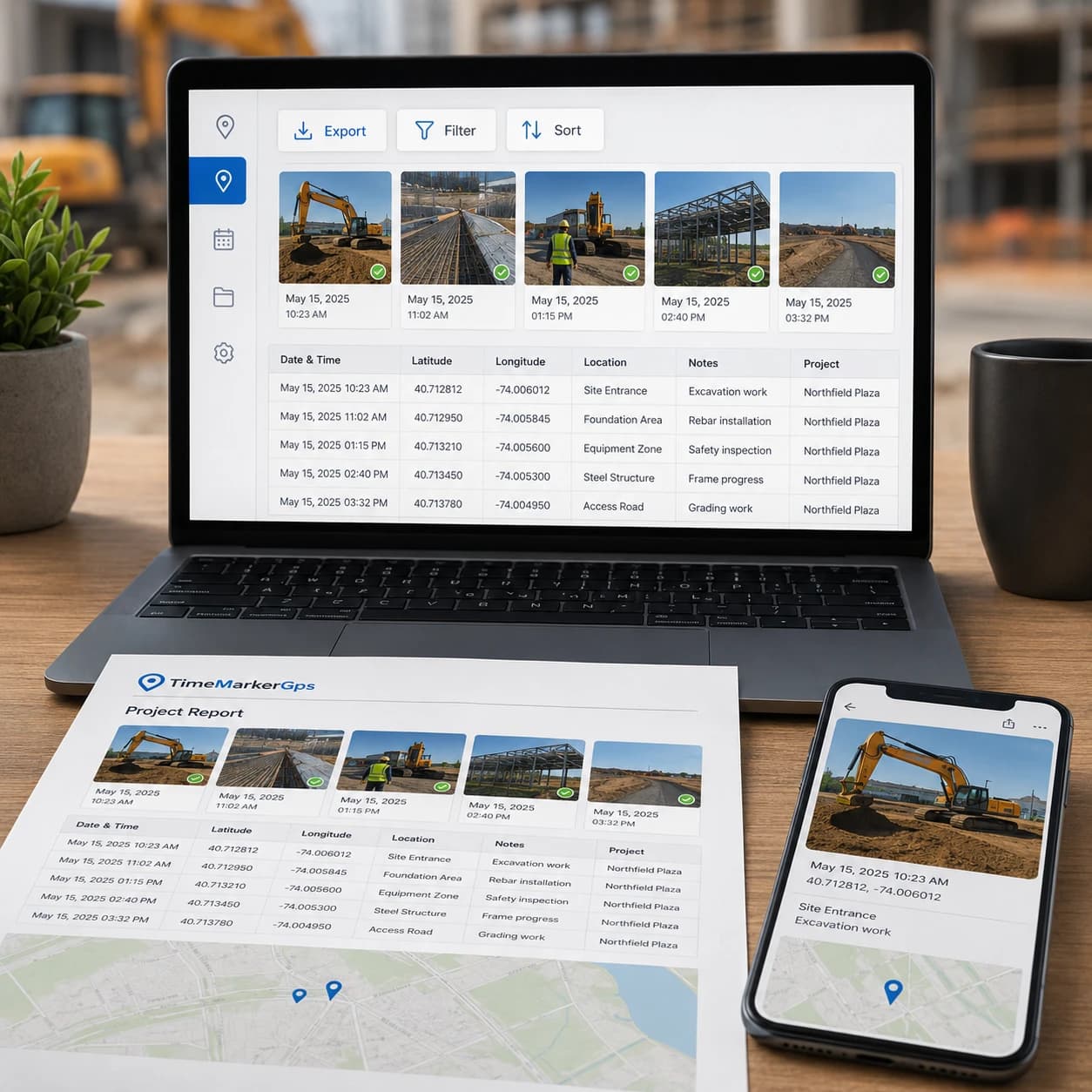
Polished Reports in Minutes
Transform your verifiable photos into clean, professional reports in just minutes. Every file you export carries the timestamp, GPS location, and verification data. Perfect for audits, insurance claims, or compliance reviews.
- Export all GPS photo locations, timestamps, and notes in a single file
- Sort or filter by project, date, or job details in Excel for fast analysis
- Keep verifiable evidence images ready to share confidently with clients or managers
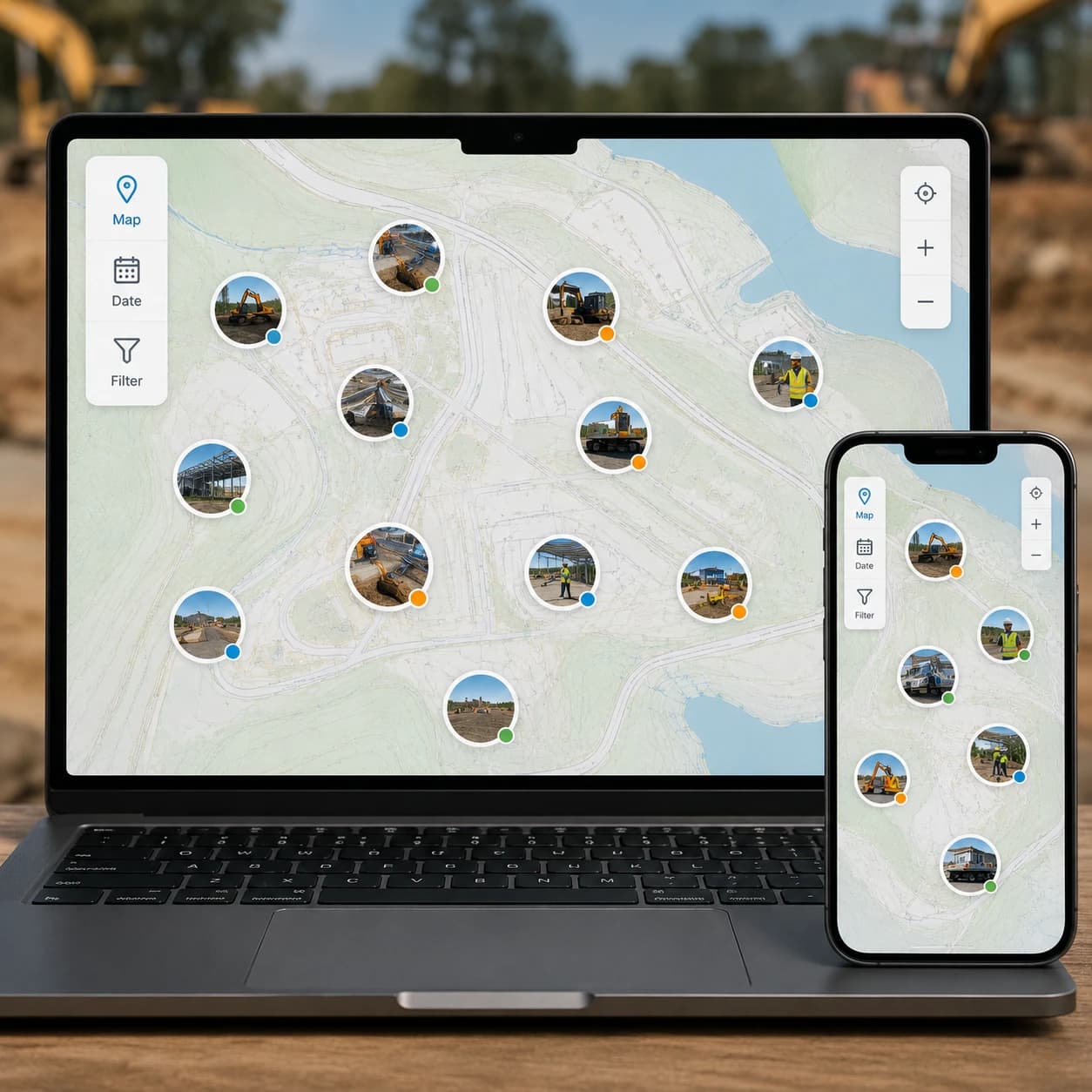
See Work on a Map
Plot every verified photo on an interactive map to confirm exactly where and when work took place. Ideal for remote site checks, delivery tracking, or inspection sign-off.
- Zoom in to inspect a specific area, or zoom out to scan overall site status at a glance
- Instantly spot missing records or gaps in your documentation
- Keep every photo neatly organized and ready for audits or reports

Look Up a Stored Photo Record
A supported TimeMarkerGps photo code links to a stored record. Enter the code or upload an image containing the code to review the available record details.
- View available image, creator, date, location, GPS, weather, and project fields
- Compare the stored context with the wider project documentation
- Confirm acceptance requirements with the responsible client, program, or authority
How Photo Authentication Works
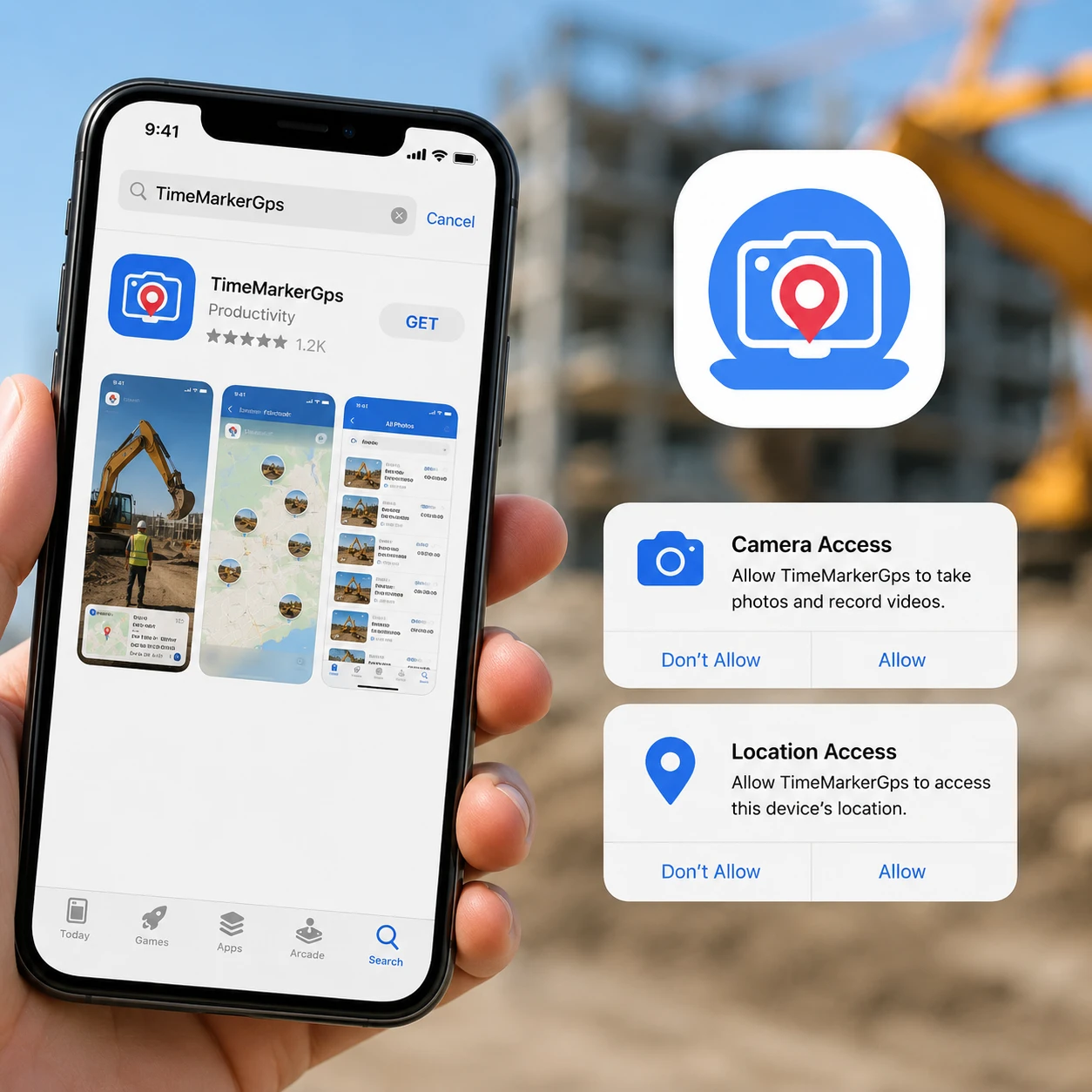
1. Get the TimeMarkerGps App
Head to the app store, search for TimeMarkerGps, and install it. Open the app, then grant camera and location permissions.

2. Take Stamped Photos
Tap the shutter and TimeMarkerGps automatically embeds a non-forgeable timestamp and location.
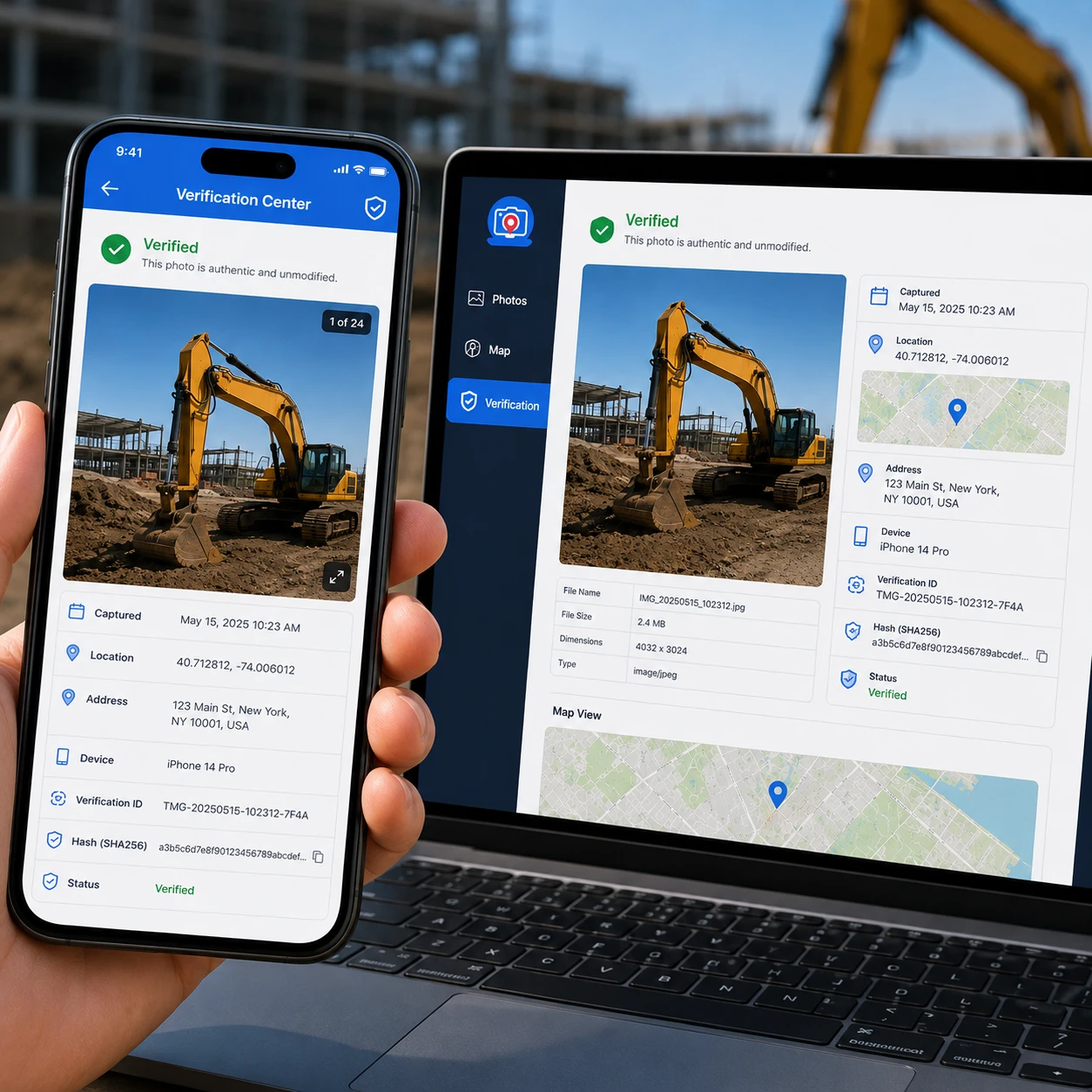
3. Verify Traceability
Open the Verification Center to confirm each photo's details and review all traceable metadata for proof and reporting.
Real-World Use Cases
Repair Teams
TimeMarkerGps lets repair pros document issues and fixes in photos. Auto-sort by job, sync to the cloud, and build reports in one click, a simple way to prove your work to clients and managers.

Cleaning Services
Cleaning teams use TimeMarkerGps to capture before-and-after site photos. stored GPS and timestamp fields add context, while shared records help clients review completed service.

Construction
Construction crews rely on TimeMarkerGps for on-site documentation. It tags each shot with GPS to pinpoint
locations (e.g., wall framing) and auto-sorts photos by project, making it easy to prove progress to clients and cut
costly rework.

TimeMarkerGps vs Other Solutions
Capability | Standard camera | TimeMarkerGps reviewed workflow |
Project context | Usually managed separately | Records can be associated with a project, team, and contributor |
Stored details | Depends on device metadata | Available record fields can include time, location, GPS, weather, and notes |
Record lookup | No TimeMarkerGps photo code | A supported photo code retrieves its associated stored record |
Important limit | Metadata alone may be incomplete or editable | Record lookup does not independently establish whether an image has been modified or determine acceptance in a legal process |
★★★★★
"When the general contractor said we'd slipped behind, I didn't argue, I just sent over a TimeMarkerGps report with a full week of timestamped photos. No other app hands us this kind of proof to defend our reputation and make sure we get paid."
★★★★★
"TimeMarkerGps's unique photo codes keep our site shots trusted. It's the best photo authentication tool we've used for keeping records clean and credible, and one-click report sharing made updating the office on cable installs far faster."
★★★★★
"It used to be a guessing game, our crew's photos had no location and no context. TimeMarkerGps flipped that overnight: every shot is timestamped, mapped, and verifiable, and nobody asks 'where was this taken?' anymore."
Ready to Organize Job Photos the Smart Way?
Authentic photos only pay off when they are organized. Teamspace automatically collects and sorts verified photos by project, location, and crew, building a reliable record your whole team can access and share.

Photo Authentication FAQs
They can add useful time, location, and project context to a dispute record. The reviewer still decides what the photo establishes and whether additional documentation is required.
A unique identifier attached to each photo acts as a digital fingerprint, verifying the image's integrity and making it evidence you can stand behind.
A verifiable timestamp paired with recorded GPS coordinates. Together they build instant trust and give every project image undeniable context.
TimeMarkerGps can keep record-linked photos together with available project context so clients can review the documented work.
Real-time uploads prevent lost photos and give your entire team instant access to the same trusted records.
The system locks image data the instant it is captured, making it one of the strongest photo authentication safeguards available. Any later attempt to change the time or location stands out immediately.
TimeMarkerGps stores project records in a shared workspace. Access and retention should be configured for your organization’s requirements, and teams should keep any additional copies their policy requires.
Try TimeMarkerGps Free & Make Photo Authentication Easy
Download TimeMarkerGps free to add secure timestamps and GPS, share verifiable proof, and put an end to work-photo headaches fast.