
Aspect | Google Photos | Email/SMS | TimeMarkerGps |
Purpose | Personal use like vacations and weddings | Quick, casual file sharing | Built for professional team and field work |
Organization | Mixes personal and work photos, so site shots are hard to find | No structure at all—photos vanish into threads | Sorts by project and member, so work photos surface fast |
Reliability | Not designed for work-file security | Files corrupt, downloads crawl, images go missing | Secure, central storage—no broken files or lost photos |
a practical way for Work Teams to Collect Group Photos
Best way to collect photos from a group: TimeMarkerGps's app and web tool let everyone upload, share, and organize work photos securely in the cloud, sorted by project or member.

Designed for Team Photo Collection
Built to help field teams capture, organize, review, and share project photo records from one workspace.



Searching for a Better Way to Collect Group Photos?
• Burning hours by hand organizing photos when you'd rather be on the actual work?
• Losing key details in photos that snowball into mistakes or delays?
• Handing clients messy, disorganized photo folders that put your reputation on the line?
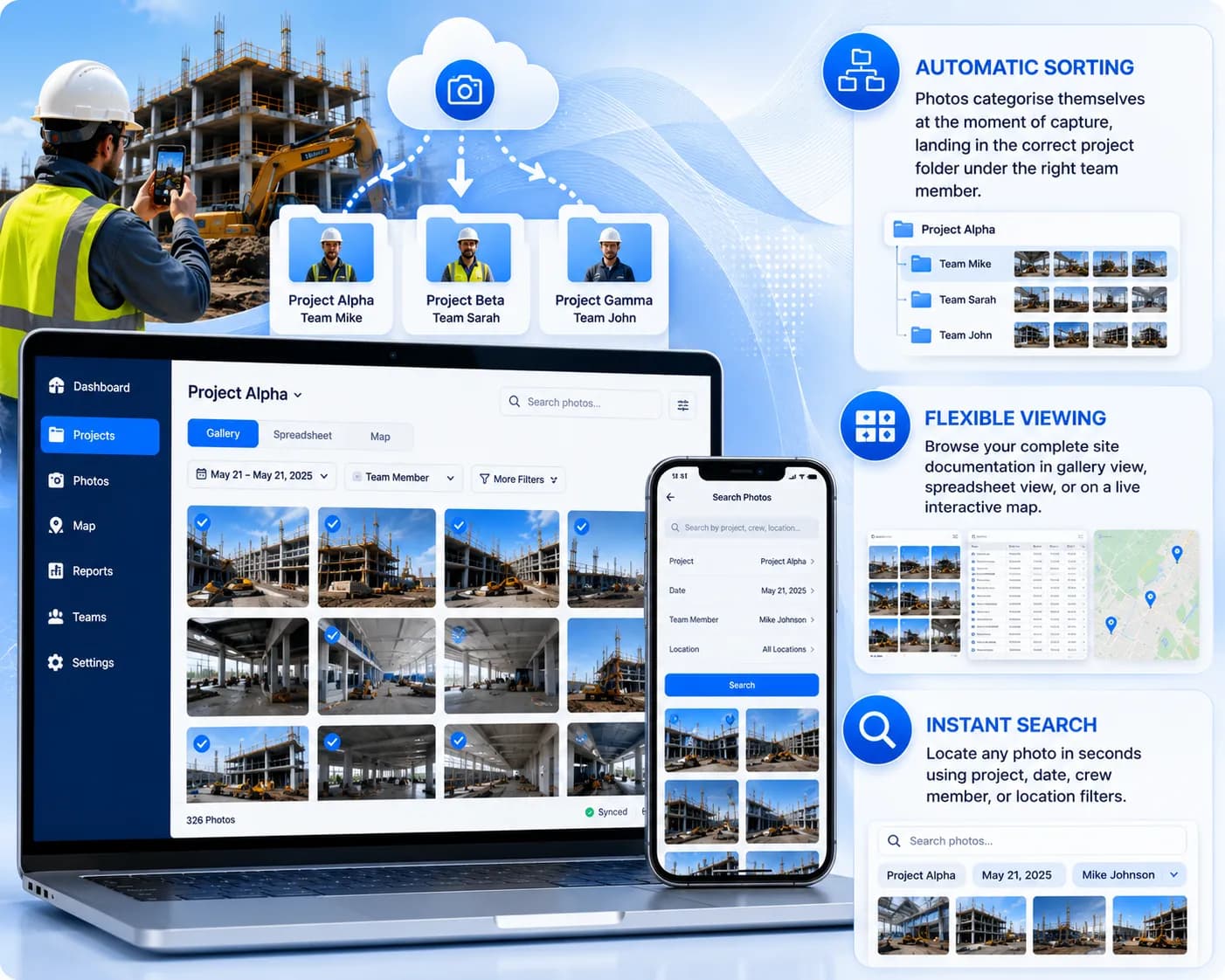
TimeMarkerGps in Action — Real-World Use Cases

Documenting Construction Sites
Best way to collect photos from a group: Capture and upload progress photos with TimeMarkerGps so everyone—from laborers to managers—can follow the build clearly. No more guessing which shot shows the latest wall work or where it fits.
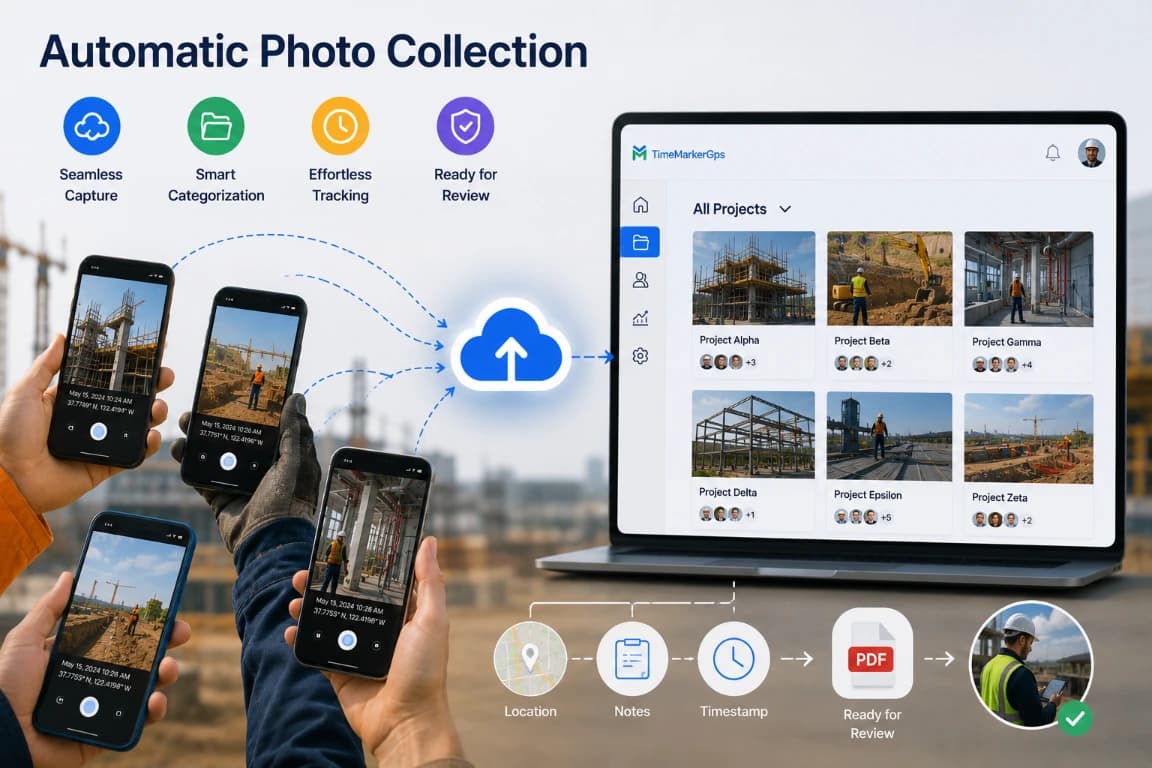
Reports for Field Service
Best way to collect photos from a group: Attach before-during-after photos to service reports with TimeMarkerGps so the whole team can upload and share work openly. Clients see exactly how you fixed their heater, no extra explanation needed.
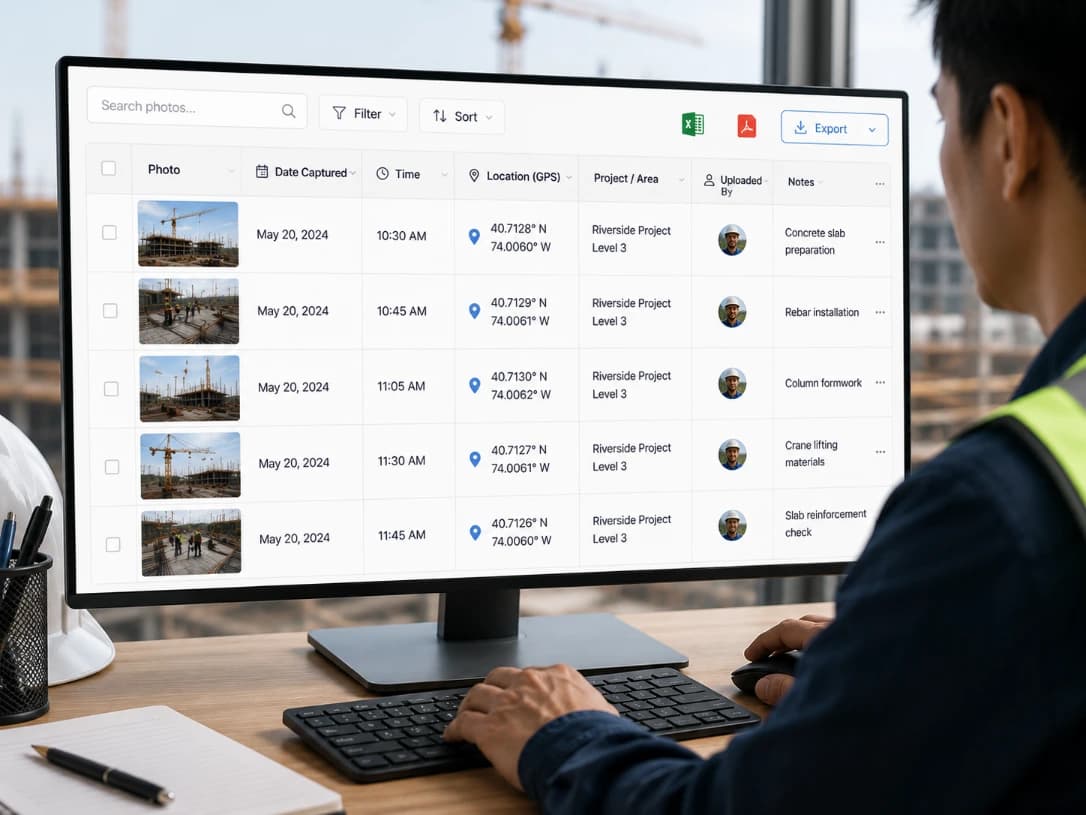
Surveys & Inspections On-Site
Best way to collect photos from a group: Geotag survey photos with TimeMarkerGps so office teams can review sites from afar. Everyone can upload and share photos with inspector notes and exact locations, making reviews faster.
a practical way to Collect Group Photos — Why TimeMarkerGps Beats the Alternatives
Workflow Review Checklists
Use these checks as a starting point, then adapt them to your team’s process, permissions, and reporting requirements.
Team upload check
Review the relevant project records, confirm that required context is present, and document any follow-up before sharing or exporting.
Project assignment
Review the relevant project records, confirm that required context is present, and document any follow-up before sharing or exporting.
Location review
Review the relevant project records, confirm that required context is present, and document any follow-up before sharing or exporting.
Before-and-after set
Review the relevant project records, confirm that required context is present, and document any follow-up before sharing or exporting.
Missing context
Review the relevant project records, confirm that required context is present, and document any follow-up before sharing or exporting.
Client selection
Review the relevant project records, confirm that required context is present, and document any follow-up before sharing or exporting.
Questions About Collecting Photos
Yes. Participants can upload photos offline, and TimeMarkerGps syncs them to cloud storage as soon as a connection returns, so you never miss capturing progress or event highlights.
Participants may contribute from supported devices. Before rollout, test how new uploads appear in the shared workspace under your actual connections, how pending or failed transfers are shown, and which retry or recovery steps are available.
Tool: Reach for TimeMarkerGps to make photo collection effortless.
Upload & Share: Everyone can upload and share photos straight from the app or web tool.
Organization: Photos sort themselves by project, event, or participant.
Storage: Every photo is kept safe in cloud storage.
Accessibility: Pull up photos for reporting or review whenever you need them.
Absolutely. Photos collected from your team can be shared securely through a shared album or cloud link, keeping service reports and project updates transparent and professional.
Try TimeMarkerGps Free — a practical way to Collect Group Photos
Sign up for TimeMarkerGps today to auto-collect, organize, and share work photos. Ditch the messy files and keep your team's project docs running smoothly.