
A Timestamp Camera Workflow for Field Teams
Capture project photos with available date, time, location, notes, logo, and Photo Code context. Keep records associated with the selected project so field and office teams can review them later.
A visible timestamp or stored creation date is contextual information. It is not by itself a trusted-time attestation or proof that an image is unedited.
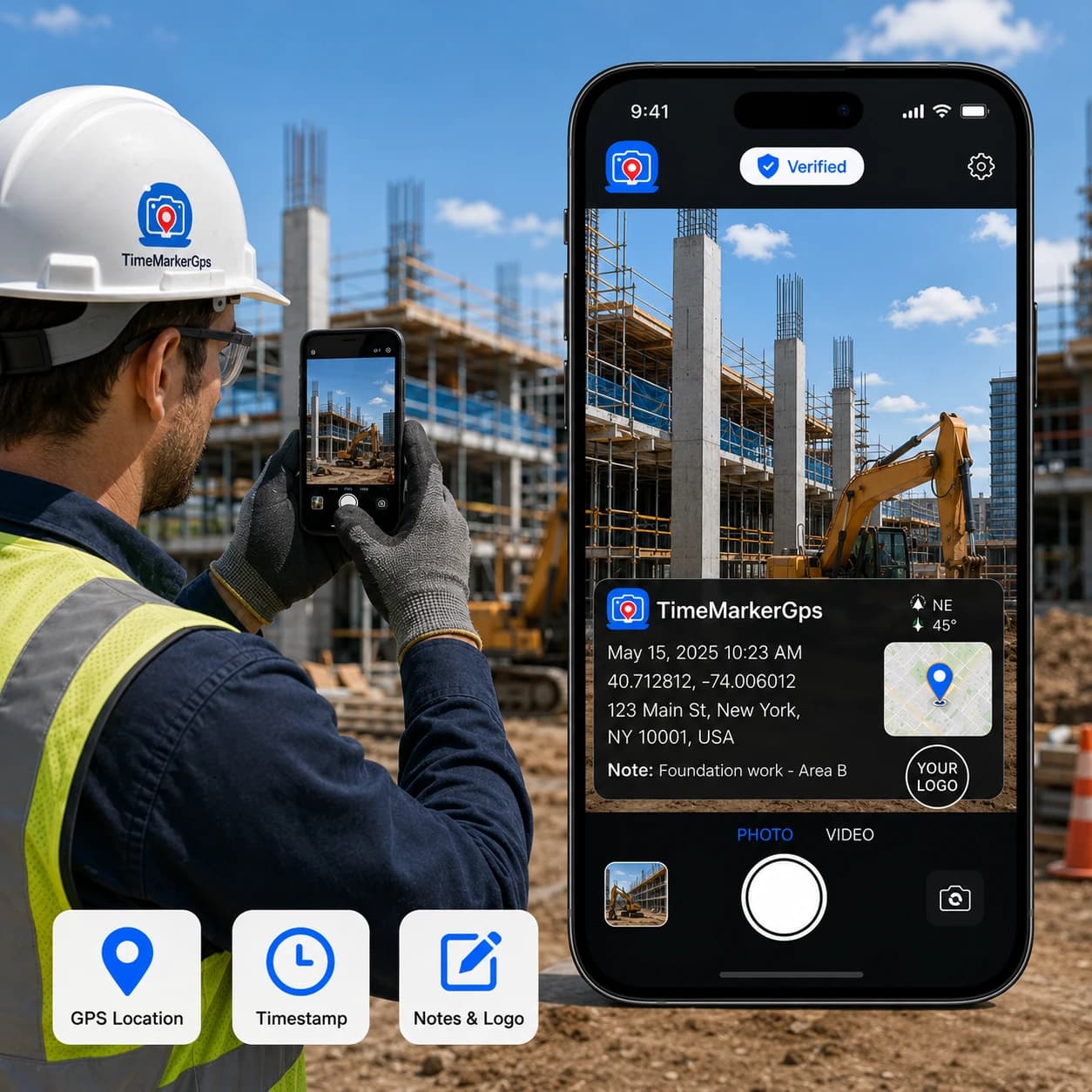
Designed for Timestamped Field Photos
Built to help field teams capture, organize, review, and share project photo records from one workspace.



Why Consistent Time Context Matters
Time context helps teams place photos in sequence and review work by date. Define which time source your workflow requires, because visible device time, image metadata, upload time, and server record creation time are not necessarily the same.

Start With a Three-Step Capture Standard
Select the correct project, confirm the enabled context fields, and capture the views required by your checklist. Review a small pilot before rolling the workflow out across a team.
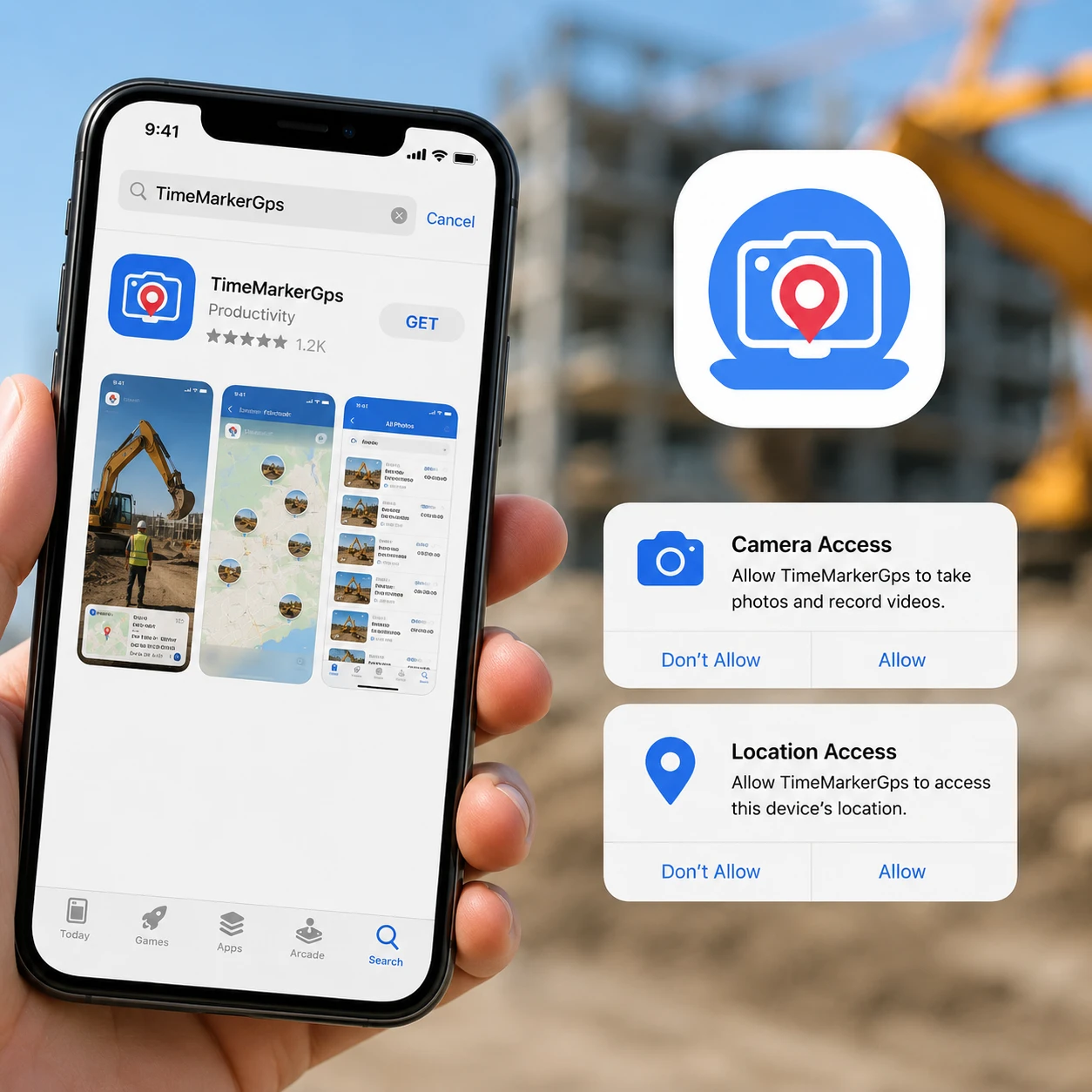
1. Get the TimeMarkerGps App
Head to the app store, search for TimeMarkerGps, and install it. Open the app and grant camera and location permissions. That's it, just a few taps and you're ready, with no complicated setup.
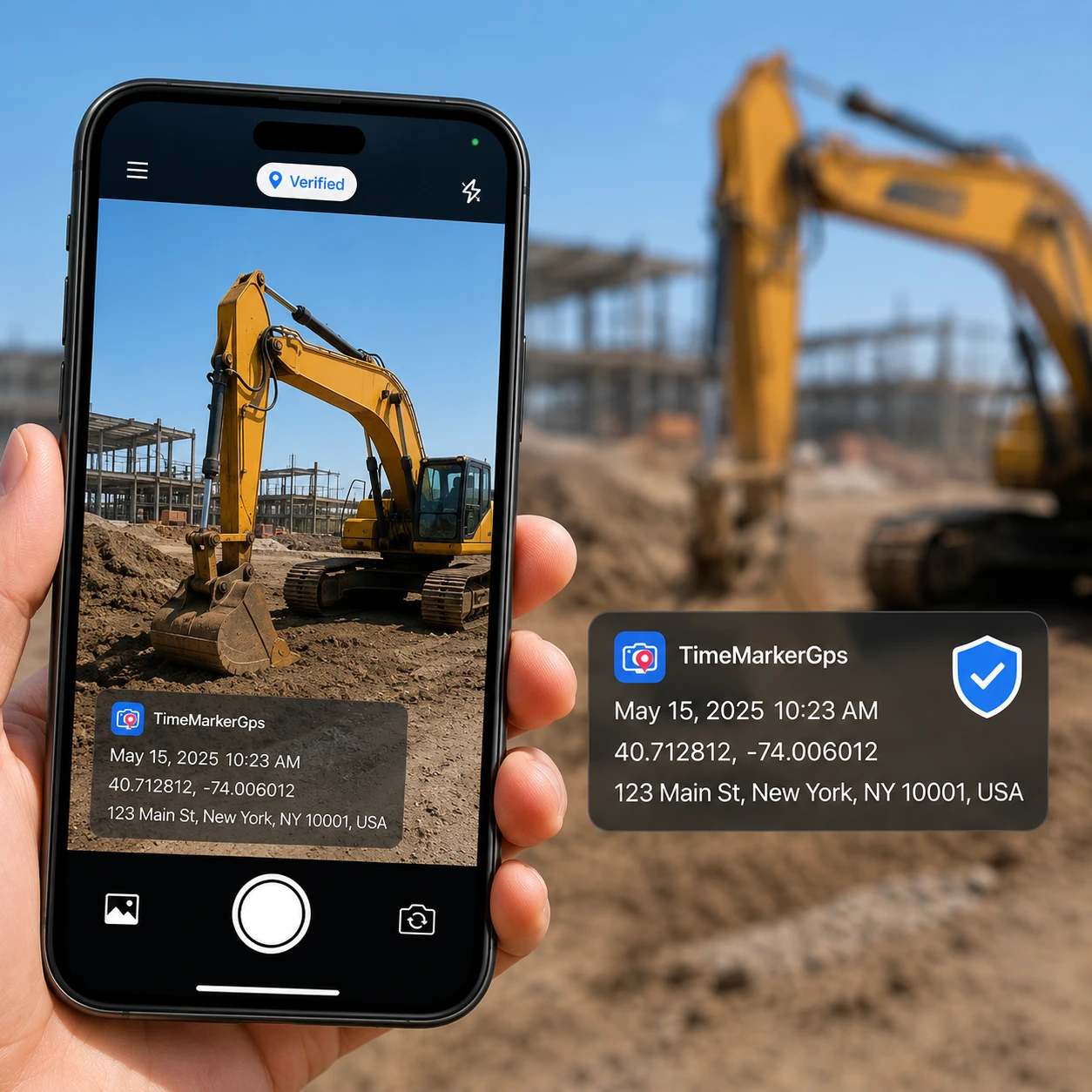
2. Take Timestamped Photos
Tap the camera button in TimeMarkerGps to shoot. TimeMarkerGps automatically embeds a non-forgeable timestamp and location, no manual edits, just clear proof of work.
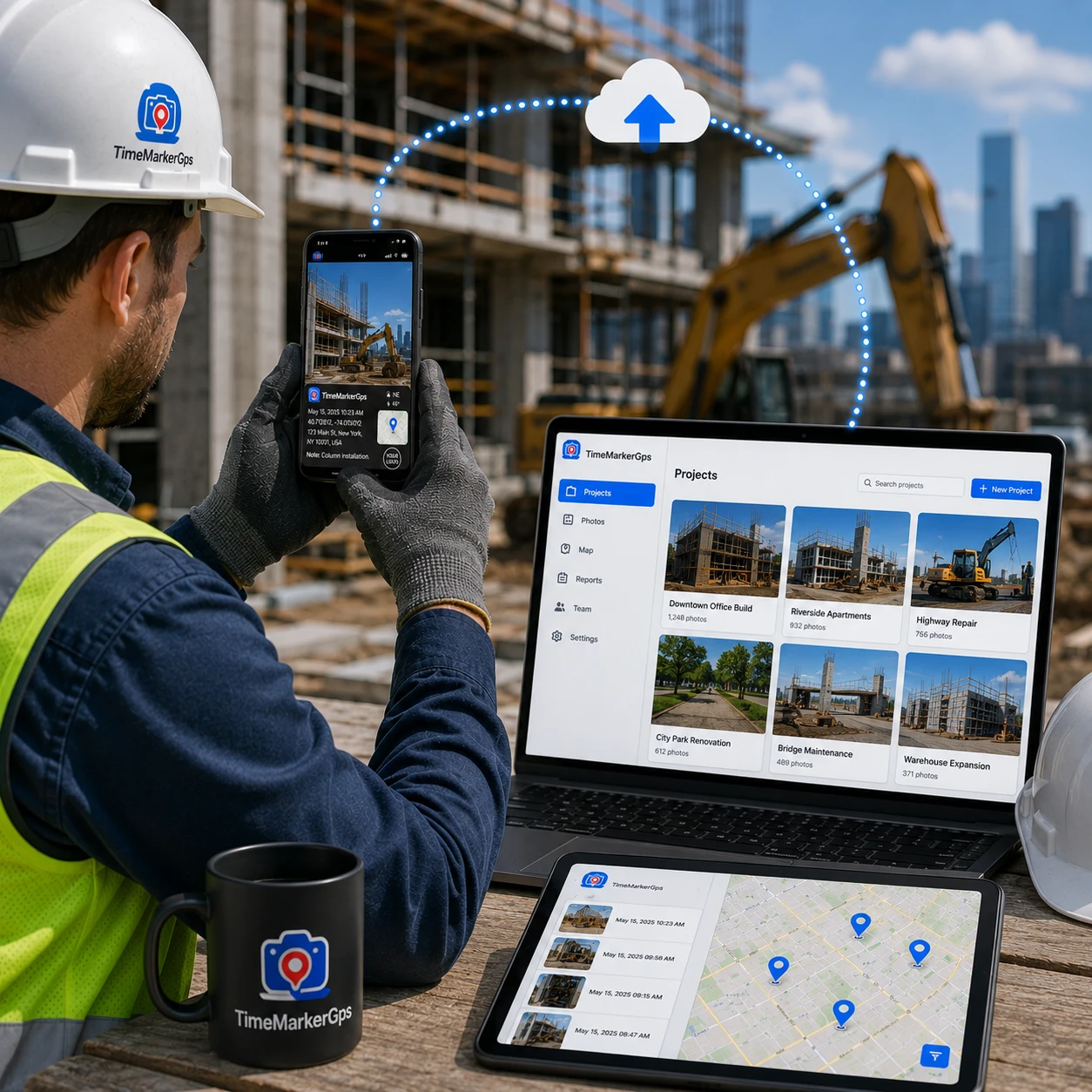
3. Use It Right Away
TimeMarkerGps is built to be simple, with no training required. Field crews and managers can jump straight in, capture photos, and find files with ease, boosting your workflow within minutes.
Designed for Timestamped Field Photos
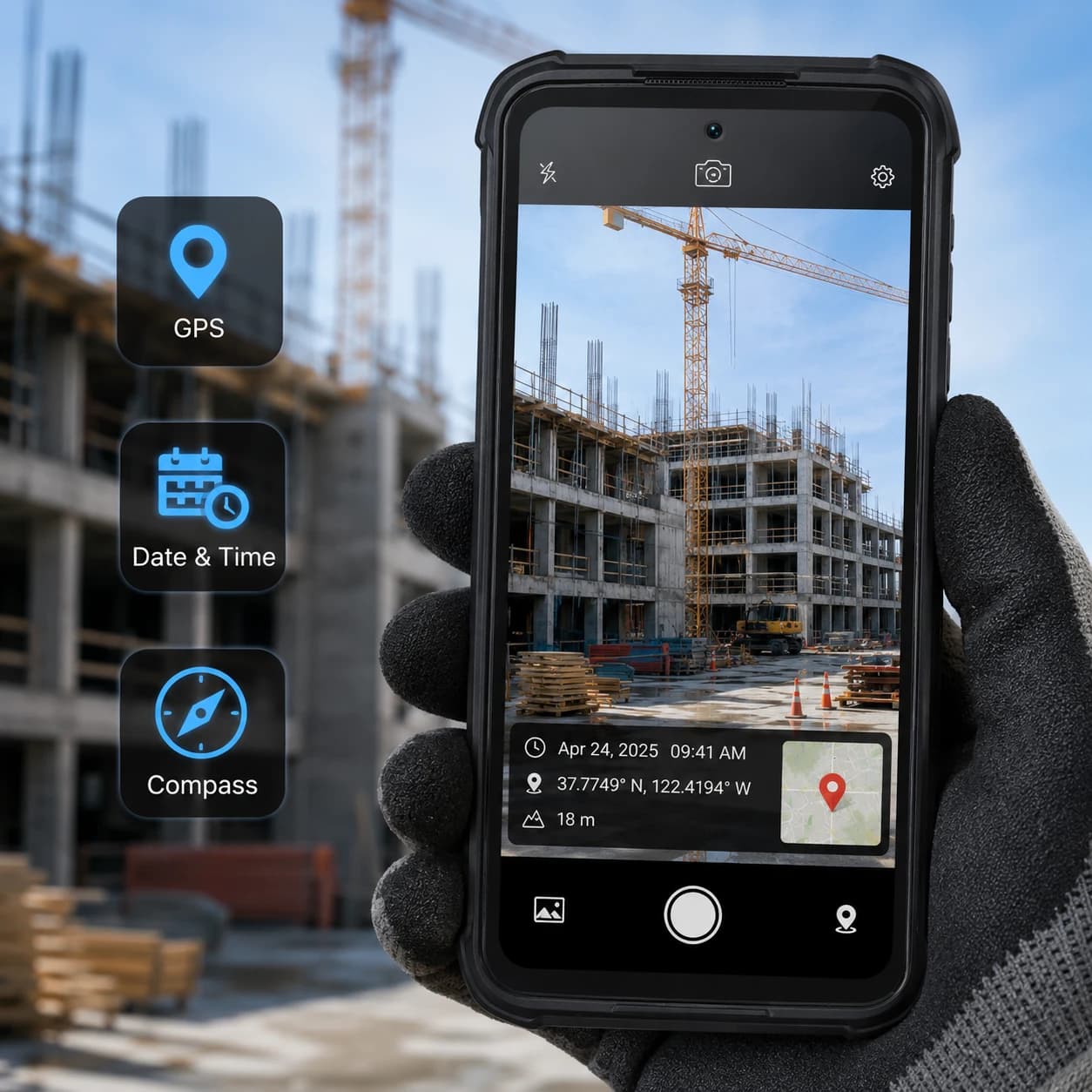
Keep Available Time and Location Context
Supported records can include time and device-supplied location information when those fields are enabled and available. Check permissions and actual output on every supported device type used by the team.
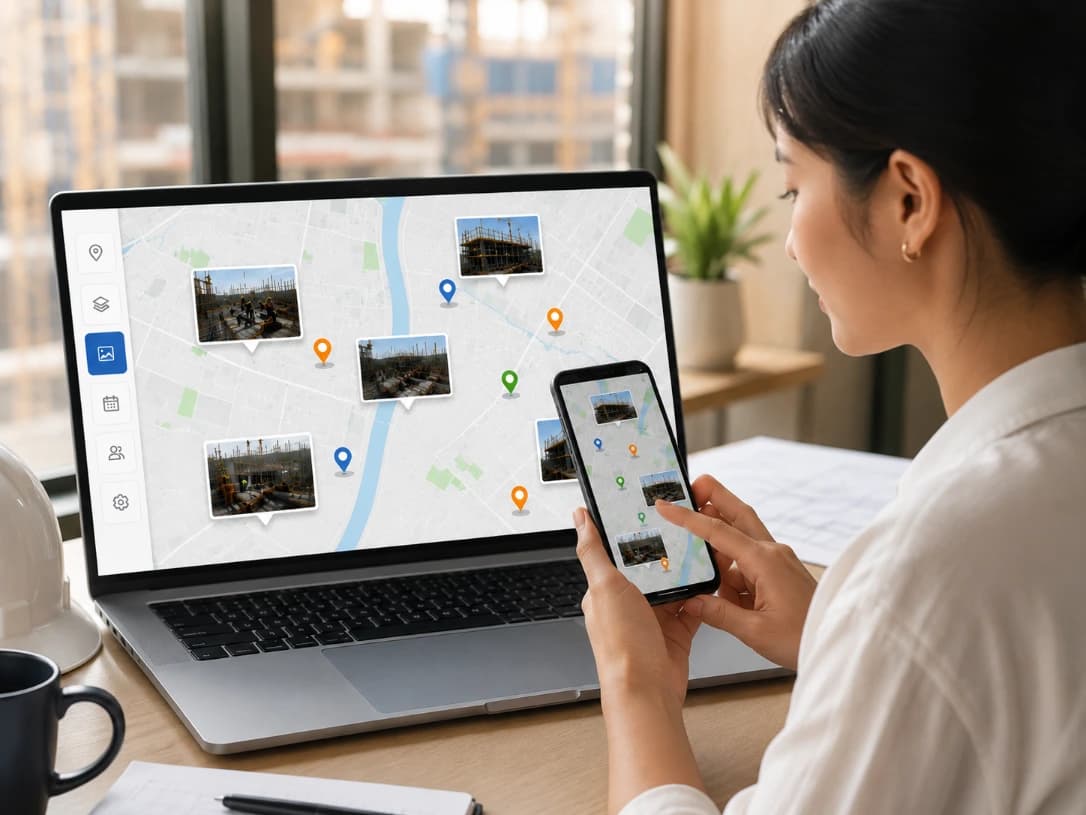
Review Eligible Records on Photo Map
Photo Map can help reviewers understand location context for eligible records. Marker placement reflects stored coordinate data and should not be treated as survey-grade position or independent capture verification.
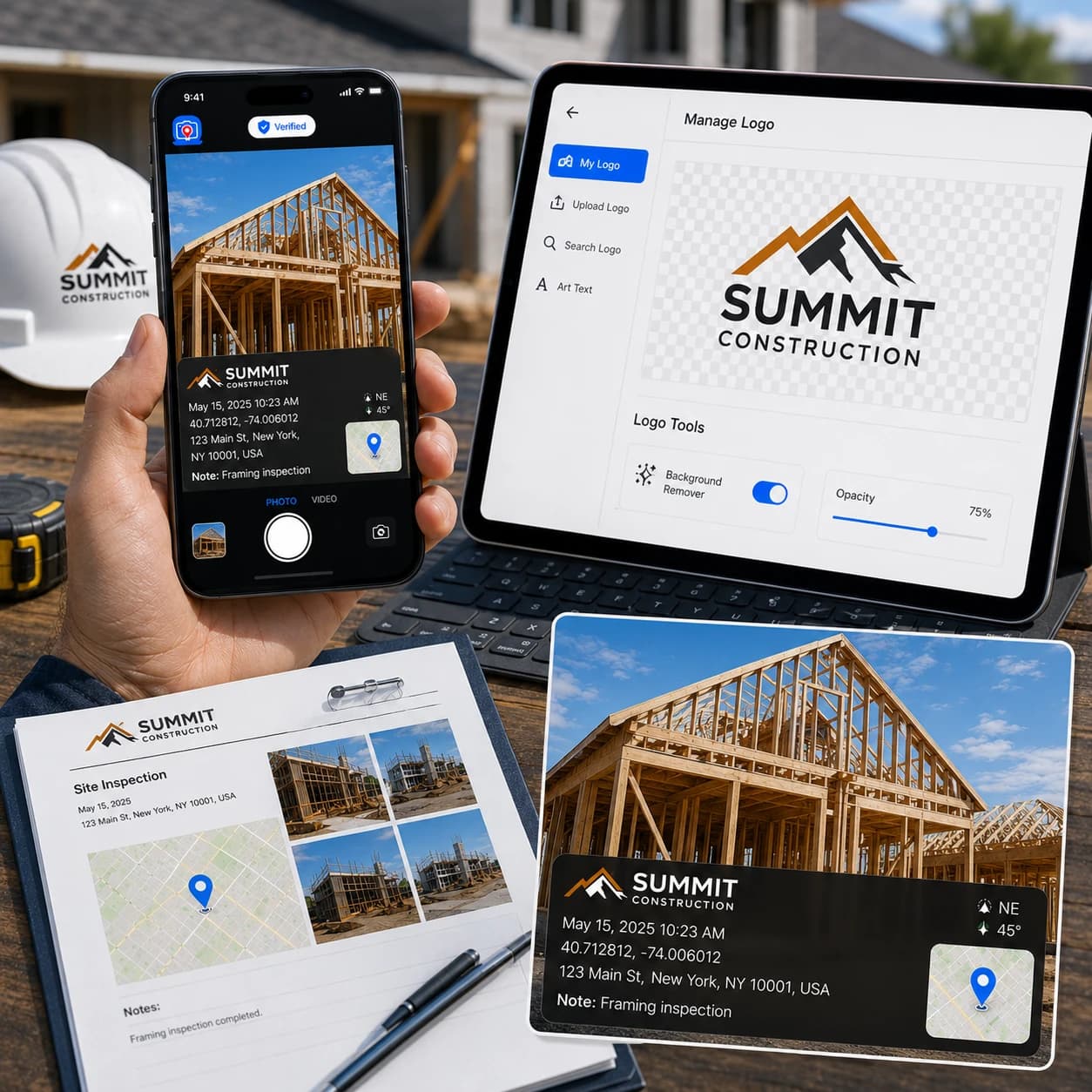
Brand With Your Logo
Show professionalism in every proof. TimeMarkerGps lets you stamp your company logo on each photo or video, turning field documentation into branded, verifiable evidence.
- Add a logo by uploading, searching within the app, or creating one with art text
- Fine-tune logos with tools like background remover and opacity control
- Apply your logo directly to client-ready reports
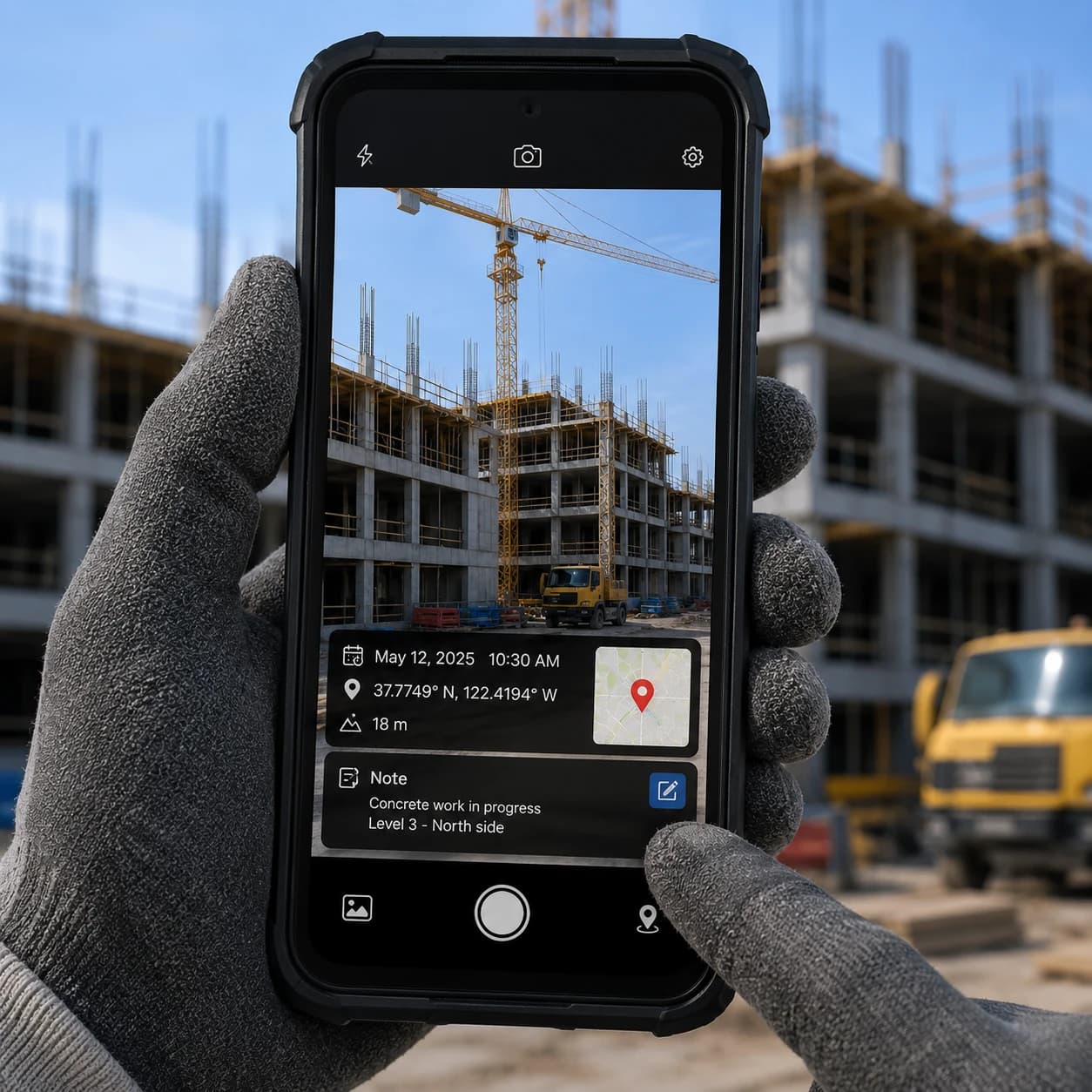
Attach Notes to Photos
Keep project details exactly where they belong, on your images. Add text notes straight onto photos alongside the time and date stamps so every shot carries its full context.
- Enter a quick note in a single tap for faster annotation
- Notes stay attached to each photo for easy team reference and reporting
- Pair visual data with written context to streamline your documentation
Timestamp Photo Workflows by Industry
See timestamp photo workflows for property and facility teams and delivery and logistics operations. Each organization remains responsible for privacy, retention, accuracy, and acceptance requirements.
Construction Pros
Cut rework costs and settle disputes fast with TimeMarkerGps photos. It also accelerates project delivery, just as one crew did to dodge costly delays.
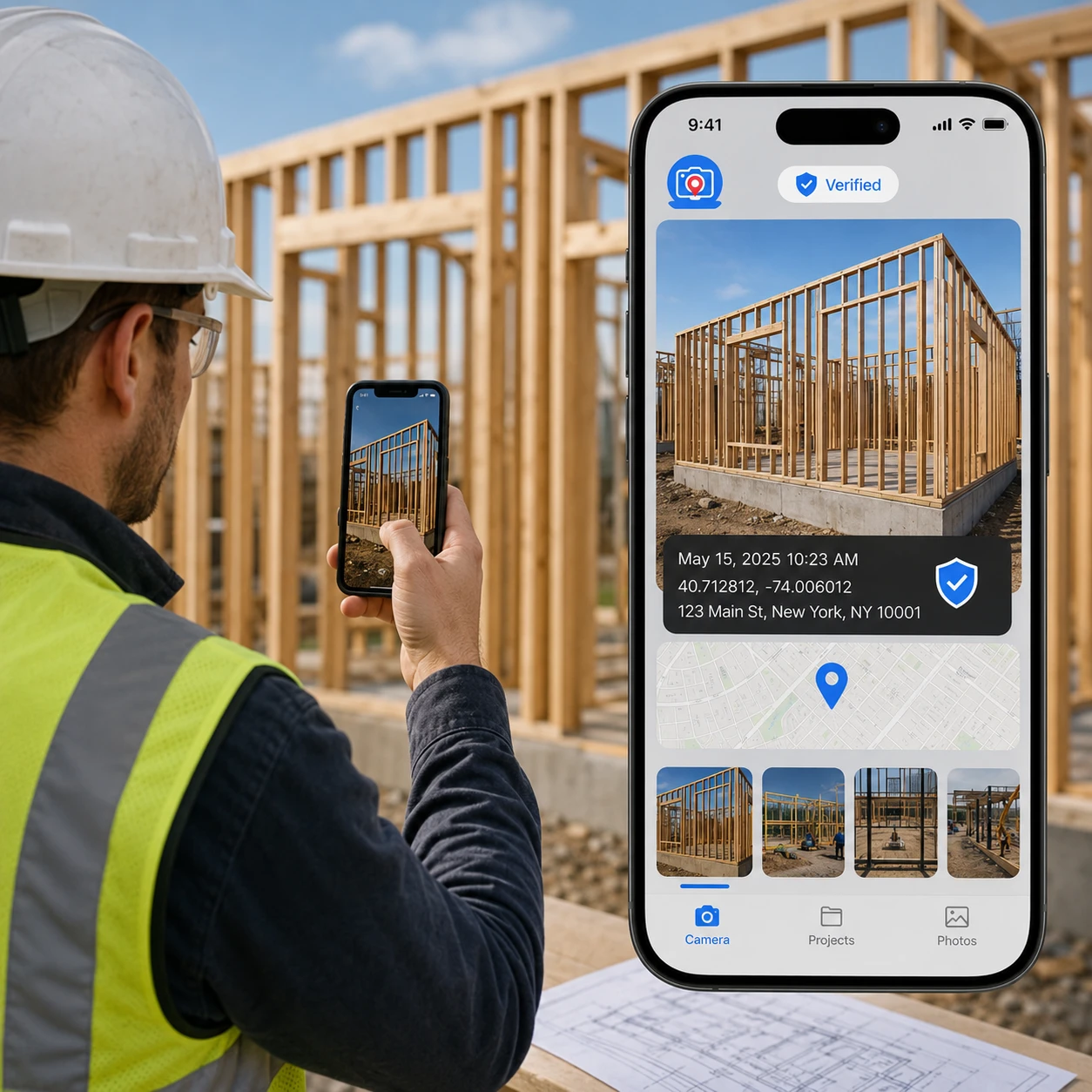
Use timestamped photo context to help sequence observations and work records. The reviewing organization determines the required forms, accuracy, retention, and acceptance criteria.
Insurance/Security Firms
Capture before-and-after photos for claims or incident reports. Record-linked photos can support claims or incident review when considered with the wider project documentation.

How TimeMarkerGps Compares to Other Timestamp Cameras
Here's what makes TimeMarkerGps a timestamp camera app
Capability | Standard timestamp camera | TimeMarkerGps reviewed workflow |
Stored context | Depends on the camera and device metadata | Available fields can include project, contributor, date, location, GPS, weather, and notes |
Record lookup | No TimeMarkerGps photo code | A supported photo code retrieves its associated stored record |
Important limit | Metadata may be incomplete or editable | Lookup does not independently validate device time, location accuracy, or image modification |
Ready to Organize Job Photos the Smart Way?
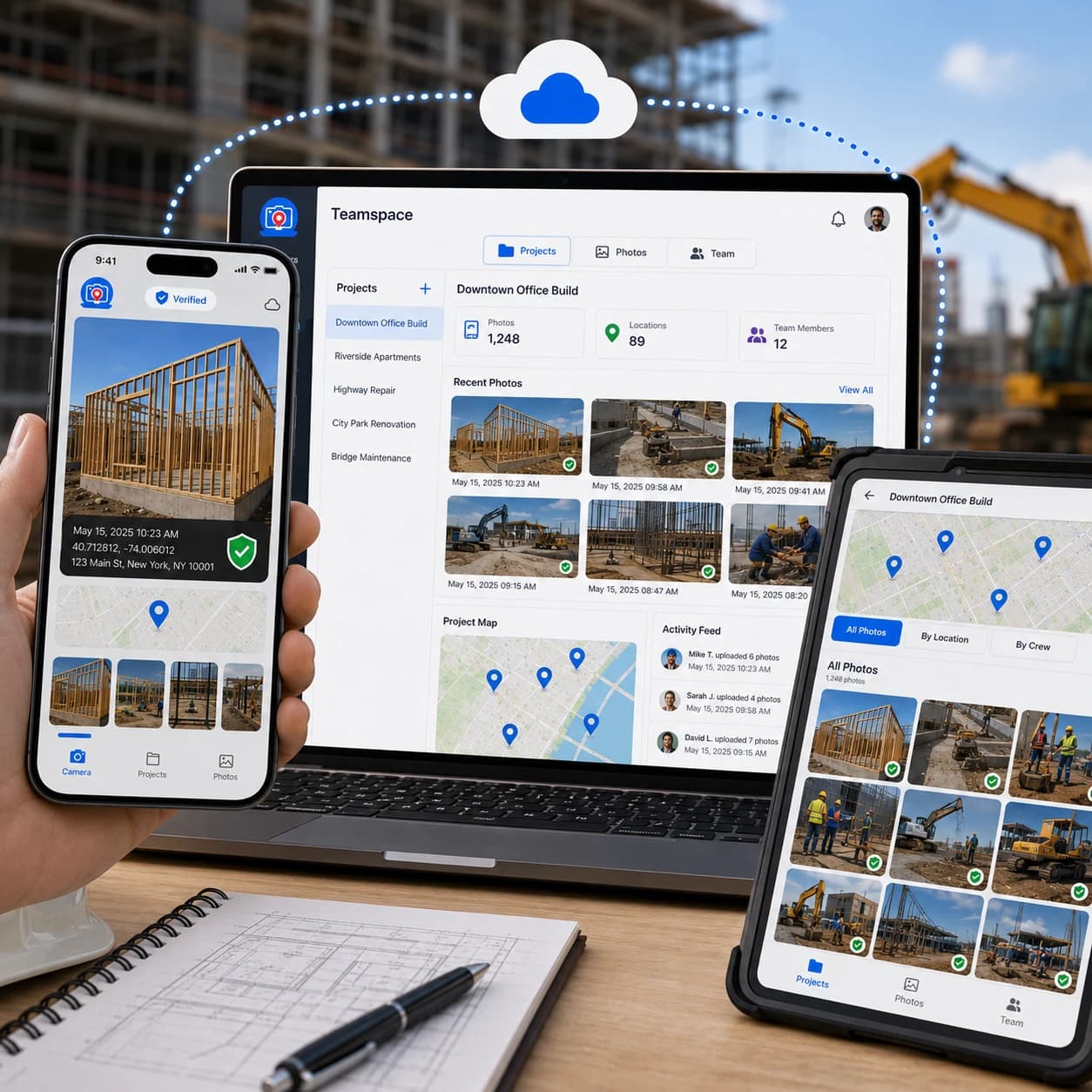
Beyond being a timestamp camera, TimeMarkerGps's Teamspace keeps timestamped photos grouped by the selected project and member, reducing manual filing and cluttered inboxes. Your team can access and share photos in real time, keeping collaboration effortless.
|
|
|
|
|

A consistent project workflow can keep photos together with available time, location, notes, and branding context. Teams should test the workflow and train users before relying on it for client documentation.
|
|
|
|
|
Remote-site teams should test how the device records time and location context when connectivity is limited. GPS availability and accuracy depend on device settings, permissions, hardware, and environmental conditions. Keep additional project records for audits or formal review.
|
|
|
|
|
"TimeMarkerGps has handed us back hours on site paperwork. With GPS and a timestamp baked into every shot, the arguments with inspectors simply stopped. Teamspace lines photos up by project so the whole crew tracks progress at a glance—hands down the best app for field service."
Timestamp Camera FAQs
Answers about timestamp sources, GPS permissions, record creation time, offline testing, Photo Code lookup, and verification limits.
Phone cameras don't produce verifiable evidence. A specialized app like TimeMarkerGps is a practical way to add network time and GPS, so no one can dispute your photos.
Useful context can include the project, contributor, stored date, available location or GPS fields, notes, and a photo code linked to the stored record. Each field has limits and should be evaluated with the wider project documentation.
Use it for pre-construction conditions, concealed work (like MEP systems), and daily progress. This documentation protects you from delays and disputes.
They can provide supporting time and location context, but acceptance and evidentiary weight depend on the reviewer, applicable rules, and the wider project record.
Yes, TimeMarkerGps supports video recording and stamps timestamps onto videos too.
Absolutely. TimeMarkerGps lets you add your company logo and job text with ease. They become part of the photo's watermark, with no extra steps.
Use the official Download page for current App Store and Google Play links. Check the store listing and current Teamspace flow for the availability and terms that apply to your account.
The default camera generally stores time-related metadata rather than printing a date and time into the visible image. Metadata can also be changed or removed during editing and sharing. A visible timestamp provides convenient context, but it is not independent proof of the exact capture time.
It removes manual work. TimeMarkerGps can add time and available GPS context and keeps photos organized by project and team. This reduces manual filing and makes project photos easier for the team to retrieve and report on.
Construction, inspection, property, telecom, delivery, security, cleaning, and other field teams may use timestamped photos to add context to work records. Each organization should test the workflow and define its own documentation and acceptance requirements.

Start With a Timestamp Camera Test Project
Download TimeMarkerGps, define the required views and fields, and review the output before rolling the workflow out to a team.